Disclosure: this article contains affiliate links. If you buy through them, DIGITAL WOXTER TECHNEWS may earn a commission at no extra cost to you. Our picks are based on specifications, prices and published reviews, not on payments. As an Amazon Associate I earn from qualifying purchases.
Keys behind the sofa, a wallet left in a taxi, a suitcase that took a different flight: a coin-sized item tracker turns “where on earth is it?” into a dot on a map. The trick is not the tag itself but the huge network of phones around it. This guide to item trackers explains, in plain words, how those networks work, how the anti-stalking alerts protect everyone, and which tracker fits your phone, because that is the one rule that matters most.
How we compared: we did not test these trackers ourselves. This guide is based on manufacturer specifications, official help pages from Apple, Google and Samsung, and published hands-on reviews by independent outlets (Engadget, Macworld, Tom’s Guide, Tech Advisor and iCulture), all linked below. Price ranges: Budget = under $100, Mid-range = $100-300, Premium = over $300. All four picks are Budget for a single tag, and most come in multi-packs too. Prices change often, so use the Amazon links in each section to see today’s price.
Quick picks
| Your phone | Our pick | Why it stands out | Price range |
|---|---|---|---|
| iPhone | Apple AirTag (2nd generation) | Apple’s Find My network, arrow-guided Precision Finding up to 50% farther than before, louder speaker | Budget |
| Android (or iPhone) | Chipolo POP | Works with Google’s Find Hub or Apple’s Find My, very loud ring, button that rings your phone | Budget |
| Samsung Galaxy | Samsung Galaxy SmartTag2 | Samsung’s SmartThings Find network, arrow-guided Compass View, battery rated up to 500 days | Budget |
| Wallet (iPhone or Android) | Chipolo CARD | Card-shaped, rechargeable on a wireless charger, works with Find My or Find Hub | Budget |
Specs come from the manufacturers and the reviews linked in each section.
The golden rule: match the tracker to your phone
An item tracker is only as good as the network that finds it, and each network belongs to a phone maker. An AirTag needs an iPhone or iPad to set up and track; a Samsung SmartTag2 needs a Galaxy phone; Android tags use Google’s Find Hub. Some tags, like the two Chipolos below, can join either Apple’s or Google’s network, but only one at a time, as Chipolo and Engadget both point out. So the quickest buying guide is one question: what phone do you use every day?
How the finding networks work
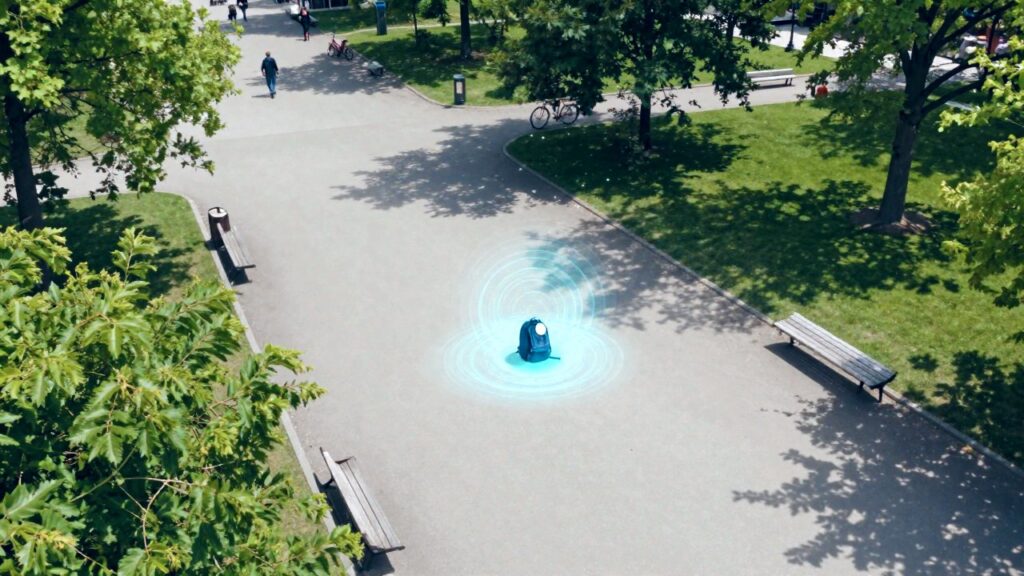
Here is what actually happens. A tracker has no GPS and no SIM card. It simply whispers a short Bluetooth signal, over and over. Any compatible phone that passes by hears the whisper, adds its own approximate location, and sends that to the network, all in the background. Think of it as a “lost” poster that every passer-by silently photographs, except the photo goes into a sealed envelope that only you can open.
- Apple Find My uses nearby Apple devices. According to Apple, the link is end-to-end encrypted, location history is not stored on the AirTag, and the Bluetooth identifiers change frequently. In Apple’s words, “No one, including Apple, knows the identity or location of any device that helped find it.”
- Google Find Hub (called Find My Device until May 2025, as 9to5Google reported) uses nearby Android phones. Google’s help page says item locations are end-to-end encrypted with a key tied to your screen PIN, pattern or password, so you need a screen lock to use the network. By default, many phones only help “in busy places”, where several phones must spot a tag before its location is shown; that protects privacy but means fewer updates on quiet streets, as 9to5Google explained.
- Samsung SmartThings Find uses Galaxy phones and tablets. Samsung says you sign in with a Samsung account and register the tag in the SmartThings app.
Close up, some tags add Ultra Wideband (UWB), a radio that measures distance and direction very precisely, so your phone can show an arrow pointing to the tag. Bluetooth-only tags give you a map position and a ring instead.
For iPhone: Apple AirTag (2nd generation)
Yes, there is a new AirTag. Apple launched the second generation on 26 January 2026, with the same round shape, so older AirTag holders still fit. The Apple AirTag (2nd generation) uses Apple’s second-generation UWB chip (the same as in the iPhone 17 family), which lets Precision Finding guide you from up to 50% farther away, and its speaker is 50% louder, so you can hear it from up to twice as far, according to Apple. For the first time, Precision Finding also works on an Apple Watch Series 9, Ultra 2 or later, as 9to5Mac reported.
The reviews confirm the upgrade. Macworld measured about 40% more Precision Finding range in real use and a much louder chime, and notes that the speaker is now harder for a stalker to remove. Tom’s Guide found Apple’s “1.5 times the range” claim held up in its test. It still runs on a replaceable CR2032 coin cell for about a year and is rated IP67 against dust and water (Macworld). Engadget, whose guide picks the AirTag as the best tracker for iPhones, expects the new model to remain the iPhone pick.
Pros: Apple’s huge Find My network; arrow-guided Precision Finding; louder speaker; Apple Watch support; battery you can swap yourself. Cons: no keyring hole (you need a holder); not rechargeable; iPhone and iPad only; the extra range needs an iPhone 15 or later, while iPhone 11 to 14 use the older, shorter-range chip and the iPhone 16e has no UWB (Macworld).
Who it’s for: anyone with a recent iPhone. Not for: Android users, or owners of a first-generation AirTag that still works: the gain is real but modest.
For Android (and iPhone): Chipolo POP
The Chipolo POP is a small round tag with a keyring hole that can join either Google’s Find Hub (Android 9 or later) or Apple’s Find My (iPhone), one at a time, according to Chipolo. That makes it handy for mixed families: the same tag works for the Android teenager and the iPhone grandparent. Chipolo rates its ring at about 120 dB, quotes a Bluetooth range of up to 90 m, uses a replaceable CR2032 battery for about a year, and offers six colours, including a bright red and a sunny yellow that are easy to spot in a bag. Double-press it and your phone rings, even when you have lost the phone instead.
Engadget names the POP its best Bluetooth tracker overall, praising that it is louder than an AirTag, works with either network and adds left-behind alerts on Android. Tom’s Guide calls it a great Android alternative to the AirTag and one of the loudest trackers around, but measured a much shorter range in its test than the 90 m on the box. Macworld’s sound test also found it slightly louder than the new AirTag.
Pros: works with Android or iPhone; very loud; phone-finder button; left-behind alerts; keyring hole; fun colours. Cons: no UWB, so no arrow guidance, just a map and a ring; only splash-resistant (IP55), not waterproof; real-world range shorter than claimed.
Who it’s for: Android users (non-Samsung or Samsung) and mixed iPhone/Android households. Not for: iPhone-only users who want Precision Finding arrows: the AirTag does that better.
For Samsung Galaxy: Galaxy SmartTag2
The Samsung Galaxy SmartTag2 works with Galaxy phones and tablets through SmartThings Find. Samsung rates its CR2032 battery at up to 500 days, or 700 days in power-saving mode, and the tag is IP67 water and dust resistant. On UWB-equipped Galaxy phones, Compass View shows an arrow and distance to the tag, and a Lost Mode lets anyone who finds it tap it with an NFC phone to see the contact details you saved. Its large ring-shaped loop fits a keyring or a luggage strap directly.
Engadget picks it as the best tracker for Samsung devices and likes its useful design, but says Samsung’s network may not beat Apple’s and found its location precision didn’t match it. Tech Advisor praises the precise UWB finding while warning that it only works in Samsung’s world and that some features need newer Galaxy phones. Tom’s Guide calls it better than the first SmartTag in every way, adding UWB, a tougher IP67 rating and longer battery life.
Pros: very long battery life; Compass View arrows on UWB Galaxy phones; NFC Lost Mode; big loop for keys and bags. Cons: Galaxy phones only; Samsung’s network is smaller than Apple’s; Compass View needs a UWB Galaxy model.
Worth knowing: Samsung announced the smaller Galaxy SmartTag3 on 30 September 2026, with iPhone support and longer-range guidance on the newest Galaxy phones. It reached Korea first and was due in the US in early November, according to Samsung and PhoneArena. If you are in no hurry, it may be worth a look once reviews arrive; the SmartTag2 is the one you can buy and rely on today.
For your wallet: Chipolo CARD
Round tags bulge in a wallet, so a card-shaped tracker makes sense. The Chipolo CARD measures 85.2 × 53.6 × 2.5 mm, about the size of a bank card but a little thicker, and, like the POP, joins Apple’s Find My or Google’s Find Hub, one at a time, according to Chipolo. Its battery is recharged by laying it on any Qi wireless charger (the same kind many phones use; not included). Chipolo rates the ring at about 110 dB, the range at up to 120 m and the water resistance at IP67. On battery life, Chipolo’s launch figure was about six months per charge, as TechCrunch reported; its product page now says up to a year, so plan on charging it at least twice a year.
iCulture found it very well made and easy to hear even under a pile of clothes, but noted that it makes a wallet feel bulkier than a normal card and, without UWB, offers no precise arrow guidance.
Pros: slim card shape; works with iPhone or Android; wireless charging, no special cable to lose; loud; IP67. Cons: thicker than a bank card; no UWB arrows; you need a Qi charger.
Who it’s for: anyone who misplaces a wallet, passport holder or travel document pouch. Not for: keys: a round tag with a keyring hole is more practical there.
Anti-stalking alerts: how they protect you
A tool that finds a suitcase could, in the wrong hands, be slipped into someone’s bag. That is why Apple and Google wrote a shared industry specification, Detecting Unwanted Location Trackers, and switched on cross-platform alerts in May 2024: iPhones (iOS 17.5 and later) and Android phones (Android 6.0 and later) now warn you when an unknown tracker that is separated from its owner seems to be moving with you, whichever brand it belongs to. Chipolo, eufy, Jio, Motorola and Pebblebee committed to the standard, according to Apple and Google, and the work continues at the Internet Engineering Task Force. An AirTag separated from its owner also plays a sound when it is moved, Apple says, and Samsung’s SmartThings app can scan for unknown SmartTags, as Samsung explains. Apple is clear that the AirTag is designed for objects, not people or pets.
If you get a “Found Moving With You” or unknown tracker alert:
- Tap the alert to see a map of where the tracker was seen with you, then use Play sound to find it. On Android, the owner isn’t notified when you do this (Google).
- Check bags, pockets, coat linings and your car. On iPhone, AirTags can also be found with arrows if your phone supports it (Apple).
- Save the details first: hold your phone near the tag to see its serial number (for an AirTag, also the last four digits of the owner’s phone number), and take screenshots. Google warns that some trackers factory-reset when switched off, which can stop the police from identifying the owner.
- Then disable it with the on-screen instructions (often by removing the battery). The owner then stops getting new location updates, though Google notes they may still see the last known one.
- If you feel unsafe, go to a public place and contact the police; they can ask the maker for the owner’s details using the serial number.
No alert yet but worried? On Android you can run a manual check: Settings › Safety & emergency › Unknown tracker alerts › Scan now (about 10 seconds), according to Google. On iPhone, keep Bluetooth, Location Services and Tracking Notifications on, and Airplane Mode off, so alerts can reach you (Apple).
Buying tips
- Phone first, then shape: pick the network that matches your phone, then a round tag for keys, a card for wallets, a tag with a strong loop for luggage.
- Travel smarter: both big networks can share a tag’s location with airlines to help find a lost bag. Apple says its Share Item Location works with more than 50 airlines and expires after seven days; Google’s Find Hub launched luggage sharing with Aer Lingus, British Airways, Cathay Pacific, Iberia and Singapore Airlines (Apple, 9to5Google).
- Objects only: trackers are for belongings. Using one to follow a person without consent is harmful and, in many countries, illegal.
FAQ
Do item trackers have GPS? No. They send a Bluetooth signal that passing phones pick up and report, so a tag in a busy airport updates often and one in an empty field rarely does.
Does an AirTag work with Android? Not for tracking: you need an iPhone or iPad. Android phones can, however, detect an unknown AirTag moving with you and alert you.
Can I use one tag on Apple’s and Google’s networks at the same time? No. Tags like the Chipolo POP and CARD join one network at a time; to switch, you reset the tag and set it up again.
Are these trackers good for pets or children? They aren’t designed for it: Apple says the AirTag is made for objects, not people or pets. For pets, a dedicated GPS collar is the better tool.
Read next
- Bike safety gadgets 2026: radar, smart helmet and tracker
- Car gadgets worth buying: jump starter, dash cam and inflator
- Camping gadgets worth packing: power, solar, water and light
Show sources (23)
- Apple introduces new AirTag with expanded range and improved findability – Apple Newsroom, 26 January 2026
- Apple launches AirTag 2 with improved range, louder speaker, more – 9to5Mac, 26 January 2026
- AirTag (2nd gen) review: An even better finder – Macworld, 4 February 2026
- Apple AirTag 2 review – Tom’s Guide, accessed 22 October 2026
- The best Bluetooth trackers for 2026 – Engadget, updated 3 February 2026
- Chipolo POP – Chipolo, accessed 22 October 2026
- Chipolo Pop review: A great Android alternative to Apple’s AirTag – Tom’s Guide, accessed 22 October 2026
- Introducing new Samsung Galaxy SmartTag2 – Samsung Newsroom, October 2023
- Samsung Galaxy SmartTag 2 review – Tech Advisor, accessed 22 October 2026
- Samsung Galaxy SmartTag 2 review – Tom’s Guide, accessed 22 October 2026
- Samsung präsentiert den Galaxy SmartTag3 – Samsung Newsroom Germany, 30 September 2026
- The Galaxy SmartTag 3 is here – PhoneArena, accessed 22 October 2026
- Chipolo CARD – Chipolo, accessed 22 October 2026
- Chipolo, an AirTag rival, debuts rechargeable trackers – TechCrunch, 27 August 2025
- Review Chipolo CARD en LOOP – iCulture, 22 October 2025 (updated 2 April 2026)
- Apple and Google deliver support for unwanted tracking alerts in iOS and Android – Apple Newsroom, 13 May 2024
- Google and Apple deliver support for unwanted tracking alerts in Android and iOS – Google Security Blog, 13 May 2024
- What to do if you get an alert that an AirTag, AirPods, Find My network accessory or compatible Bluetooth tracker is with you – Apple Support, accessed 22 October 2026
- Unknown tracker alerts – Android Help, accessed 22 October 2026
- How Find Hub protects your data – Android Help, accessed 22 October 2026
- Google’s Find My Device network is now Find Hub – 9to5Google, 13 May 2025
- Google’s Find My Device puts privacy over function – 9to5Google, 14 July 2024
- SmartThings ecosystem gives Galaxy users better control over their connected devices – Samsung Newsroom, accessed 22 October 2026
The week's best tech stories, free
One email a week with the stories that matter, explained simply. No spam.