Disclosure: this article contains affiliate links. If you buy through them, DIGITAL WOXTER TECHNEWS may earn a commission at no extra cost to you. Our picks are based on specifications, prices and published reviews, not on payments. As an Amazon Associate I earn from qualifying purchases.
Got a TV that’s a few years old, slow, or not “smart” at all? You don’t need a new one. A streaming stick or box plugs into a spare HDMI port (the same flat socket a games console uses), connects to your Wi-Fi and gives you Netflix, Prime Video, Disney+, YouTube and the rest, with a voice remote. They are among the most popular gadgets you can buy, and in 2026 the line-up changed a lot: Amazon launched a new Fire TV Stick 4K on its own Vega software, Google raised the price of its Streamer, and Apple announced a new Apple TV 4K. Here’s how to pick the right one.
How we compared: we did not test these devices ourselves. This guide is based on manufacturer specifications and on published, hands-on reviews by independent outlets (Tom’s Guide, Tech Advisor, Expert Reviews, What Hi-Fi?, Trusted Reviews, Xataka and others), all linked below. Price ranges: Budget = under $100, Mid-range = $100-300, Premium = over $300. Prices change often, so use the Amazon links in each section to see today’s price.
Quick picks
| Device | Best for | Picture and sound | Wi-Fi / wired | Price range |
|---|---|---|---|---|
| Amazon Fire TV Stick 4K Max | Alexa and Prime Video homes | 4K, Dolby Vision, HDR10+, Dolby Atmos | Wi-Fi 6E | Budget |
| Roku Streaming Stick 4K | The simplest menus (US only) | 4K, Dolby Vision, HDR10+ | Long-range Wi-Fi | Budget |
| Google TV Streamer | Android phones and Google Home | 4K, Dolby Vision, HDR10+, Dolby Atmos | Wi-Fi 5 + Ethernet port | Mid-range |
| Apple TV 4K (4th generation) | iPhone owners who want the most power | 4K, Dolby Vision, HDR10+, Dolby Atmos | Wi-Fi 7 + Ethernet port | Mid-range |
Specs come from the manufacturers and the reviews linked in each section.
First, five words explained
- 4K: four times the detail of Full HD. It only helps if your TV is a 4K TV.
- HDR: “high dynamic range”, brighter highlights and richer colours. There are several flavours: HDR10 (the basic one every 4K TV supports), HDR10+ and Dolby Vision (both adjust the picture scene by scene). A streaming device can only show the formats your TV also supports, so check your TV’s manual.
- Dolby Atmos: surround sound with a height effect. You need a compatible soundbar or speakers to hear the difference.
- Wi-Fi 6, 6E and 7: newer Wi-Fi generations that cope better with busy homes. Wi-Fi 6E and 7 only use their extra speed lanes if your router supports them; otherwise they fall back to normal Wi-Fi, as Tech Advisor explains.
- Voice remote: press a button and say “find comedies” instead of typing with arrow keys.
Best for Alexa homes: Amazon Fire TV Stick 4K Max
The Amazon Fire TV Stick 4K Max is still Amazon’s most powerful stick. When Amazon refreshed its range this autumn, it kept the 4K Max as the model “for gamers and home theater fans”, with Dolby Vision, Dolby Atmos and more storage than the cheaper sticks, according to Amazon. Per Tech Advisor, it has a 2 GHz quad-core processor, 2 GB of memory, 16 GB of storage (about 12 GB usable), Wi-Fi 6E, Dolby Vision, HDR10+, HLG and Dolby Atmos, plus an “Ambient Experience” that turns the screen into a photo frame with widgets when you’re not watching.
Reviewers like it a lot. Expert Reviews calls it the best all-round streaming stick, praising its snappy performance and picture and sound quality. Tech Advisor gave it an Editors’ Choice. The common complaint is the home screen: Tom’s Guide lists “excessive promotion of Amazon content”, Expert Reviews finds it still heavily Amazon-focused, and Tech Advisor notes sponsored rows throughout.
Pros: fast; every major HDR format; Wi-Fi 6E; big app catalogue; Alexa voice remote that can also control your TV’s volume. Cons: lots of Amazon promotion on the home screen; still powered through a micro-USB cable and a wall plug (Tech Advisor).
Who it’s for: Prime members and Alexa households who want Dolby Vision. Not for: anyone who dislikes ads and recommendations on the home screen.
Good to know: Amazon also sells a new, cheaper Fire TV Stick 4K (2026) that runs on Amazon’s new Linux-based Vega software, has Wi-Fi 6 and can draw power from the TV’s USB port, but it does not list Dolby Vision or Dolby Atmos (Amazon, Notebookcheck). Reviews of the first Vega stick, the 4K Select, found apps still arriving and no sideloading of apps from outside Amazon’s store (Cordbusters, Tom’s Guide). The 4K Max still runs the Android-based Fire OS.
Easiest to use: Roku Streaming Stick 4K
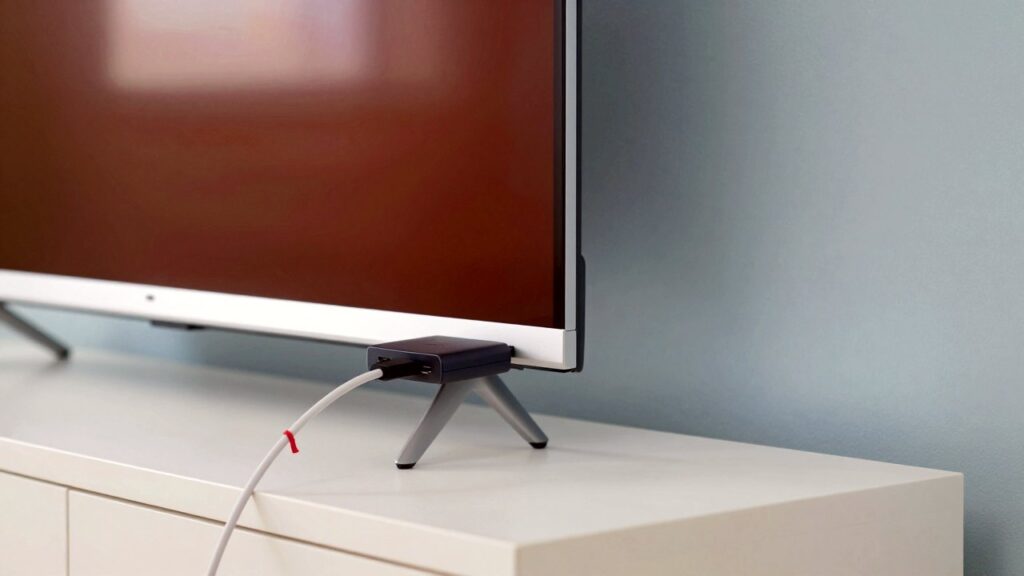
Roku is known for a simple, tile-based home screen. The Roku Streaming Stick 4K streams in 4K with Dolby Vision and HDR10+, uses what Roku calls long-range Wi-Fi so it works in rooms far from the router, and comes with a voice remote that also controls the TV’s power and volume. It is slim enough not to block the HDMI port next to it.
Tom’s Guide gave it an Editor’s Choice for excellent 4K HDR quality, snappy performance, “practically every app you need” and an excellent interface, while noting that Amazon offers better live TV integration. Trusted Reviews also highlights its strong streaming performance. It dates from 2021, but it is still Roku’s Dolby Vision stick today: in its October 2026 list, Tom’s Guide says everyone should start with it, while its overall top pick is the cheaper Roku Streaming Stick Plus, which lacks Dolby Vision (Expert Reviews).
Pros: very easy to use; Dolby Vision and HDR10+; good Wi-Fi range; neutral about which services you pay for. Cons: weaker live TV integration than Fire TV (Tom’s Guide); older hardware than its rivals (it launched in 2021); no Ethernet port.
Who it’s for: anyone in the US who wants the simplest menus, including grandparents. Not for: readers in Spain and most of Europe: Roku does not sell its players there (Xataka).
Best for Android and smart homes: Google TV Streamer
The Google TV Streamer replaced the Chromecast in 2024. It is a small box that sits next to the TV rather than a stick behind it, which leaves room for a gigabit Ethernet port for a cable connection to your router. According to Google, it has 4 GB of memory, 32 GB of storage, 4K HDR at 60 frames per second with Dolby Vision, HDR10, HDR10+ and HLG, Dolby Atmos, and Wi-Fi 5. It also works as a Matter controller and Thread border router, so it can run compatible smart-home gadgets.
Tech Advisor calls it Google’s most powerful entertainment device, praising its clean interface, smooth performance and optional wired internet; the remote has a customisable star button, and a button on the box makes a lost remote ring. Tom’s Guide ranks it its second-best streaming device overall. PCWorld found apps load faster than on other Google TV devices but called it overpriced, and that was before Google raised its US price from $99.99 to $149.99 at the end of August 2026 (9to5Google, Droid Life).
Pros: clean Google TV interface; every major HDR format; Ethernet port; smart-home hub built in; find-my-remote button. Cons: pricier since the increase; only Wi-Fi 5; no HDMI cable in the box: Google says you need a certified HDMI 2.1 cable, sold separately.
Who it’s for: Android phone and Google Home users, and anyone whose Wi-Fi is weak where the TV is. Not for: tight budgets: the Fire TV and Roku sticks cost much less.
Most powerful: Apple TV 4K (4th generation)
Apple announced a new Apple TV 4K (4th generation) on 13 October 2026. Pre-orders are open and it ships on 13 November, so independent reviews are not out yet: everything below comes from Apple and launch coverage. According to Apple, it has the A19 chip, 128 GB of storage, Wi-Fi 7, Bluetooth 6, Dolby Vision, HDR10+ and HLG, and works as a Thread and Matter smart-home hub. MacRumors adds a gigabit Ethernet port, an HDMI 2.1 output and far-field microphones; Apple claims up to 50% faster processing and twice the graphics performance of the previous model. The Siri Remote now works with Find My, so your iPhone can help locate it.
The catch is the price. At $299, it costs far more than the previous model and sits at the very top of our mid-range band (9to5Mac, The Mac Observer). Apple’s new AI Siri features start in beta and in English only in a few countries, MacRumors notes. Tom’s Guide still lists the 2022 Apple TV as its best pick for Apple owners and suggests waiting for the new one (Tom’s Guide).
Pros (on paper): by far the most powerful chip here; Wi-Fi 7 and Ethernet; works smoothly with iPhone, HomePod and Apple’s smart home; remote you can find with an iPhone. Cons: expensive; not reviewed independently yet; its best features need other Apple devices.
Who it’s for: iPhone households who want a box that will last for years. Not for: anyone who just wants Netflix on an old TV: a budget stick does that.
Buying tips before you choose
- Check your TV’s HDMI ports and HDR formats. A 4K stick on a Full HD TV still works, just in HD. For HDR, use an HDMI port that supports it (often labelled on the back of the TV) and look up whether your TV handles Dolby Vision, HDR10+ or both.
- Check your Wi-Fi where the TV is. If streaming stutters on your phone near the TV, a box with an Ethernet port (Google TV Streamer, Apple TV) or a newer-Wi-Fi stick will help more than any picture spec.
- Follow your ecosystem. Alexa speakers and Prime point to Fire TV; Android and Google Home to Google TV; iPhone and Apple subscriptions to Apple TV. All of them run the big apps, such as Netflix, Prime Video, Disney+ and YouTube.
- Home screens differ. Fire TV’s home screen leans heavily on Amazon promotions and sponsored rows, according to the reviews above; if that bothers you, factor it in.
- Power: some sticks need a wall plug, so check there’s a free socket behind the TV.
FAQ
Do I need a 4K TV? No. Every device here also works on a Full HD TV; you just won’t see 4K detail.
Do I still need to pay for streaming services? Yes. The device is the gateway; Netflix, Disney+ and the rest are paid separately, although each platform also offers some free channels and apps.
Stick or box? A stick hides behind the TV and is cheaper. A box has room for more power, more storage and an Ethernet port.
Can I use it in a hotel or holiday home? Sticks are small and portable, but hotel Wi-Fi often needs a login page, which can be awkward on a TV, and some apps limit use outside your home country.
Read next
- Smart home gadgets 2026: Matter plug, Hue bulb and AI doorbell
- A screen that plays sound exactly where you see it
- Home office gadgets 2026: light bar, 4K webcam and dock
Show sources (22)
- Amazon Fire introduces faster, slimmer 4K streaming stick, new remote, and Vega 2.0 – Amazon, accessed 22 October 2026
- Amazon Fire TV Stick 4K Max (2nd gen) review – Tech Advisor, 3 November 2023
- Amazon Fire TV Stick 4K Max (2nd gen) review – Expert Reviews, updated 18 July 2024
- Amazon Fire TV Stick 4K Max (2nd gen) review – Tom’s Guide
- Fire TV Stick 4K (2026) – Notebookcheck, October 2026
- Amazon Fire TV Stick 4K Select UK review – Cordbusters, 2025
- Amazon Fire TV Stick 4K Select review – Tom’s Guide, 2025
- Roku Streaming Stick 4K – Roku, accessed 22 October 2026
- Roku Streaming Stick 4K review – Tom’s Guide
- Roku Streaming Stick 4K review – Trusted Reviews
- Roku Streaming Stick Plus (2025) review – Expert Reviews, 2025
- Best streaming devices – Tom’s Guide, updated 13 October 2026
- Google TV Streamer tech specs – Google Store, accessed 22 October 2026
- Google TV Streamer review – Tech Advisor, 22 October 2024
- Google TV Streamer review – PCWorld, 2024
- Google TV Streamer price increase – 9to5Google, 31 August 2026
- Google Streamer gets substantial price increase – Droid Life, 31 August 2026
- Apple TV 4K technical specifications – Apple, accessed 22 October 2026
- New Apple TV 4K announced with A19 chip, updated Siri Remote – MacRumors, 13 October 2026
- Apple announces new Apple TV 4K – 9to5Mac, 13 October 2026
- New Apple TV 4K costs $299 with an A19 chip – The Mac Observer, October 2026
- Mejores dispositivos de streaming 2026 – Xataka, 11 August 2026
The week's best tech stories, free
One email a week with the stories that matter, explained simply. No spam.