Disclosure: this article contains affiliate links. If you buy through them, DIGITAL WOXTER TECHNEWS may earn a commission at no extra cost to you. Our picks are based on specifications, prices and published reviews, not on payments. As an Amazon Associate I earn from qualifying purchases.
A phone at 3 % battery can ruin a good day out. The fix is simple: a power bank in your bag and one good charger at home that can feed your phone, tablet and laptop. The tricky part is choosing, because the boxes are full of numbers like mAh, W, PD and Qi2. This guide turns those numbers into plain English and picks four chargers that independent reviewers rate highly, from a pocket battery to a laptop-sized one.
How we compared: we did not test these products ourselves. This guide is based on manufacturer specifications and on published, hands-on reviews by independent outlets (Engadget, Macworld, Tech Advisor, Cult of Mac, Expert Reviews, TechRadar and Android Authority), all linked below, plus the official air-travel rules from IATA and the TSA. Price ranges: Budget = under $100, Mid-range = $100-300, Premium = over $300. Prices change often, so use the Amazon links in each section to see today’s price.
Quick picks
| Best for | Our pick | Key specs | Price range |
|---|---|---|---|
| Pocket and phone | Anker Nano Power Bank 10K (30W, built-in cable) | 10,000 mAh, 30 W, built-in USB-C cable, small display | Budget |
| Magnetic, cable-free charging | UGREEN MagFlow Qi2 25W 10K | 10,000 mAh (36 Wh), 25 W wireless, 30 W built-in cable | Budget |
| Laptops and long trips | Anker Laptop Power Bank 25K (165W) | 25,000 mAh (90 Wh), 100 W per USB-C, two built-in cables | Mid-range |
| One wall charger for everything | Anker Prime 67W GaN (3 ports) | Two USB-C + one USB-A, 67 W for one device, folding prongs | Budget |
Specs come from the manufacturers and the reviews linked in each section.
The numbers on the box, explained
- mAh (milliamp-hours) is the size of the battery’s “fuel tank”. A 10,000 mAh battery gave a recent iPhone about one and a half full charges in Macworld’s tests; 25,000 mAh is big enough to top up a laptop.
- You never get all of it. Some energy is lost as heat while charging. In Engadget’s tests, power banks delivered about 60 % of their rated capacity to the phone, and Anker itself expects 30 to 45 % to be lost on the way.
- Wh (watt-hours) is the real energy inside, and it’s the number airlines care about. To work it out, multiply the mAh by the cell voltage (about 3.6 to 3.7 V) and divide by 1,000: 10,000 mAh is about 36 Wh, 25,000 mAh about 90 Wh, as Anker and Xataka Móvil explain.
- W (watts) is the speed. Phones charge happily at 20 to 30 W; most laptops want 60 to 100 W from a single USB-C port.
- USB-C PD (Power Delivery) is the common “language” that lets a charger and a device agree on how much power to send, so one charger can safely feed a phone and a laptop.
- Qi2 is the magnetic wireless charging standard (the same idea as Apple’s MagSafe). The newer Qi2 25 W version works at full speed on recent phones such as the iPhone 17 and Pixel 10 Pro XL, Engadget notes; older phones charge more slowly.
Pocket pick: Anker Nano Power Bank 10K (30W)
The best power bank is the one you actually carry. The Anker Nano Power Bank 10K with built-in USB-C cable holds 10,000 mAh and charges at up to 30 W, enough to fast-charge most phones. Its cable is part of the body (it doubles as a carry loop), so it can’t get left at home, and there is an extra USB-C port and a USB-A port for a second device, according to Anker. The same cable refills the battery itself: Anker says it reaches 50 % in about 45 minutes.
Tech Advisor liked how compact it is (215 g), praised the small display that shows the remaining charge, and found it strong enough to give a laptop a decent boost in a pinch. Engadget also mentions it among its recommended Anker batteries.
Pros: built-in cable; small and light; useful display; charges two or three devices. Cons: the shell scratches easily (Tech Advisor); too slow to keep a laptop fully running.
Who it’s for: anyone who mostly needs to rescue a phone, earbuds or a small tablet. Not for: laptop users, who should look at the 25K pick below.
Magnetic pick: UGREEN MagFlow Qi2 25W 10K
A magnetic power bank snaps onto the back of your phone, so you can keep scrolling while it charges, no cable needed. The UGREEN MagFlow Qi2 25W was the first power bank certified for the faster Qi2 25 W standard, Macworld reports. It holds 10,000 mAh (36 Wh) and also has a built-in 30 W USB-C cable plus one spare USB-C port.
In Macworld’s tests it took an iPhone 16 Pro from empty to 50 % in about 32 minutes wirelessly, and gave roughly one full charge plus 44 % more. That capacity was a little lower than some rivals, the reviewers note. Cult of Mac gave it top marks for its fast wireless charging and handy built-in cable, with the single extra port as its main weak point.
Pros: very fast magnetic charging; built-in cable; can charge three devices at once. Cons: usable capacity a bit below rivals; with three devices connected, the total drops to 12.5 W (Macworld); full speed only on recent Qi2 25 W phones.
Who it’s for: owners of recent iPhones and Qi2 Android phones who hate cables. Not for: phones without magnets or Qi2 (a magnetic case can help), or anyone who wants the most charge per gram: wireless charging wastes more energy as heat than a cable.
Laptop pick: Anker Laptop Power Bank 25K (165W)
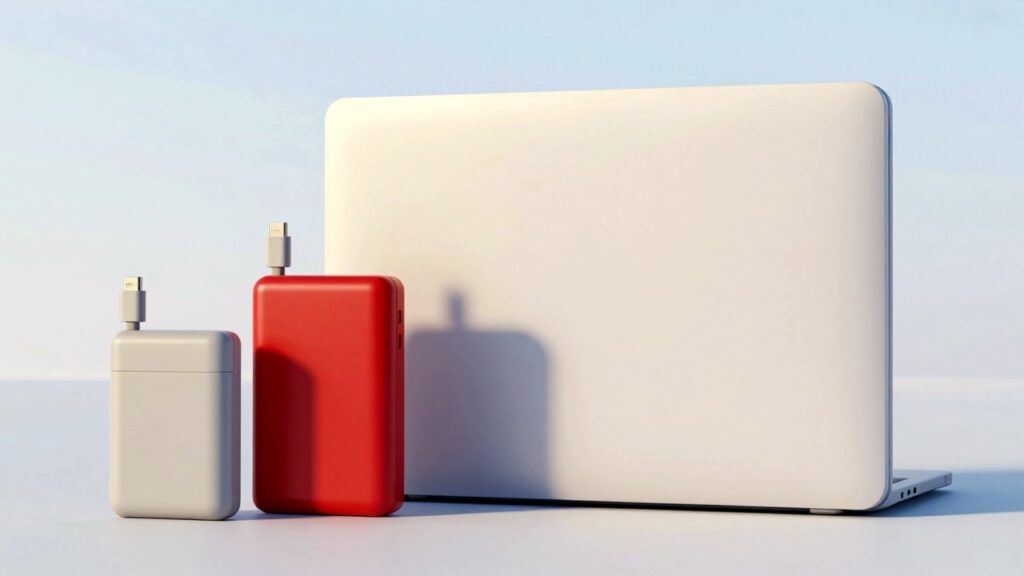
If you carry a laptop, you need a bigger battery with a lot more muscle. The Anker Laptop Power Bank 25K (165W) stores 25,000 mAh, which Anker rates at 90 Wh, under the 100 Wh airline line. Each USB-C connection gives up to 100 W, and two devices can share up to 165 W, according to Anker. It has two built-in USB-C cables (one retracts and reaches about 70 cm, says Macworld), plus a USB-C and a USB-A port, and a display that shows charge, watts and battery health.
Engadget names it its best laptop power bank, praising the two cables, sturdy build, detailed screen and fast charging, though the screen picks up smudges. Macworld calls it the handiest battery pack it has tested. Expert Reviews points out what it lacks: there’s no wireless charging, and at 595 g it’s not a pocket gadget.
Pros: enough power for most USB-C laptops; two built-in cables; up to four devices at once; informative display. Cons: heavy (595 g); no wireless charging; screen smudges.
Who it’s for: travellers, students and remote workers with a USB-C laptop, a phone and a tablet. Not for: anyone who only charges a phone: it’s more weight than you need.
Wall charger pick: Anker Prime 67W GaN (3 ports)
A good wall charger is the other half of the story: it refills your power bank fast and can replace a drawer full of old plugs. The Anker Prime 67W GaN charger has two USB-C ports and one USB-A port. It delivers up to 67 W to one device, 65 W shared between two and 64.5 W across three, and weighs about 136 g, according to Anker. GaN (gallium nitride) is the chip material that lets modern chargers be much smaller and run cooler than old ones.
Android Authority, after testing more than 30 USB-C chargers, picked it as its best overall, citing high efficiency and a compact, travel-friendly body; its main drawback is a slightly higher price than basic chargers. TechRadar found charging fast on all ports, the build solid and the folding prongs handy for travel; it got warm, but never worryingly so.
Pros: charges a laptop, phone and earbuds at once; compact with folding prongs; well built. Cons: power is split when several devices are plugged in; no cable in the box; dearer than one-port chargers.
Who it’s for: anyone who wants one charger for phone, tablet and a light laptop. Not for: big laptops that ask for 100 W or more, which charge more slowly on it.
Tip: when two USB-C devices share the charger, Anker recommends using the upper port for the laptop.
Safety and buying tips
- Power banks fly in the cabin, never in the hold. Power banks and spare lithium batteries are not allowed in checked bags, the TSA says.
- Under 100 Wh is easy. Up to 100 Wh needs no permission; 100 to 160 Wh needs the airline’s approval; above that is not allowed for passengers, according to IATA. All four picks here are under 100 Wh.
- Two per person, no recharging on board. Since 27 March 2026, international rules limit each passenger to two power banks and forbid recharging them during the flight, as IATA and AirlineRatings explain. Some airlines also ban using them in flight, so check yours before you go.
- Look for the Wh figure on the case. It makes airport checks easy and is a good sign of a careful maker.
- Buy known brands from trusted sellers. No-name batteries can overstate their capacity or skip safety protections.
- Look after it. Don’t leave a power bank in a hot car or in strong sun, and stop using it if it swells, gets very hot or smells odd.
FAQ
Why doesn’t my 10,000 mAh power bank charge my phone three times? Energy is lost as heat and in converting voltages. Expect roughly 55 to 70 % of the rated capacity to reach your phone (Engadget, Anker).
Can I use a laptop charger for my phone? Yes, with USB-C PD chargers like the Anker Prime: the charger and phone agree on a safe power level automatically.
Is wireless charging bad for my battery? It is less efficient than a cable, so it wastes more energy as heat. It’s handy for topping up; use the cable when you need a fast, full charge.
Can I take the 25K power bank on a plane? At 90 Wh it is under the 100 Wh limit, so it can go in your cabin bag without asking the airline, as long as you carry no more than two power banks.
Read next
- Camping gadgets worth packing: power, solar, water and light
- Home office gadgets 2026: light bar, 4K webcam and dock
- Car gadgets worth buying: jump starter, dash cam and inflator
Show sources (15)
- The best power banks and portable chargers for every device – Engadget, updated 13 February 2026
- Anker Nano Power Bank (30W, Built-In USB-C Cable) – Anker, accessed 22 October 2026
- Anker Nano 30W Power Bank review – Tech Advisor, 2025
- Ugreen 25W MagFlow Magnetic Wireless 10K Power Bank review – Macworld, 19 September 2025
- UGREEN MagFlow power bank review – Cult of Mac, 12 September 2025
- Anker Laptop Power Bank (25K, 165W, Built-In and Retractable Cables) – Anker, accessed 22 October 2026
- Anker 25K Laptop Power Bank (165W) review – Macworld, 24 January 2025
- Anker Laptop Power Bank A1695 review – Expert Reviews, 19 August 2025
- Anker Prime 67W GaN Wall Charger (3 Ports) – Anker, accessed 22 October 2026
- I tested over 30 USB-C wall chargers – Android Authority, accessed 22 October 2026
- I tested Anker’s USB-C phone chargers, and these are the 3 I’d buy – TechRadar, 29 April 2024
- Power Banks – TSA, updated 14 May 2025
- Guidance Document for Operators: Power Banks – IATA, 2026
- New airline power bank rules: what passengers need to know – AirlineRatings, 30 March 2026
- Es oficial: ya no podemos usar una batería externa en el avión – Xataka Móvil, 16 April 2026
The week's best tech stories, free
One email a week with the stories that matter, explained simply. No spam.