Our Muse Gadgets article showed how to build your own little AI sidekick with Meta’s free kit. Here’s what to buy. The good news: you need only one board, not all of them.
Check your country first. Muse is officially available in the US, Canada, Japan and Singapore, according to the latest reports we found. Every gadget needs the Muse app, a Muse account and a developer token, so confirm you can get those before you buy.
How we chose: we did not build these gadgets. The list comes from Meta’s list of boards and the official project pages. Meta says these boards are made by others and doesn’t endorse them. Price ranges: Budget = under $100, Mid-range = $100-300, Premium = over $300.
Which board should you pick?
| You want | Buy one of these | Price range |
|---|---|---|
| A little chat gadget for your desk | Waveshare ESP32-S3-Touch-AMOLED-1.75C | Budget |
| The cheapest way in | M5Stack StickS3 | Budget |
| A screen that shows what Muse creates | Seeed reTerminal E1002 | Mid-range |
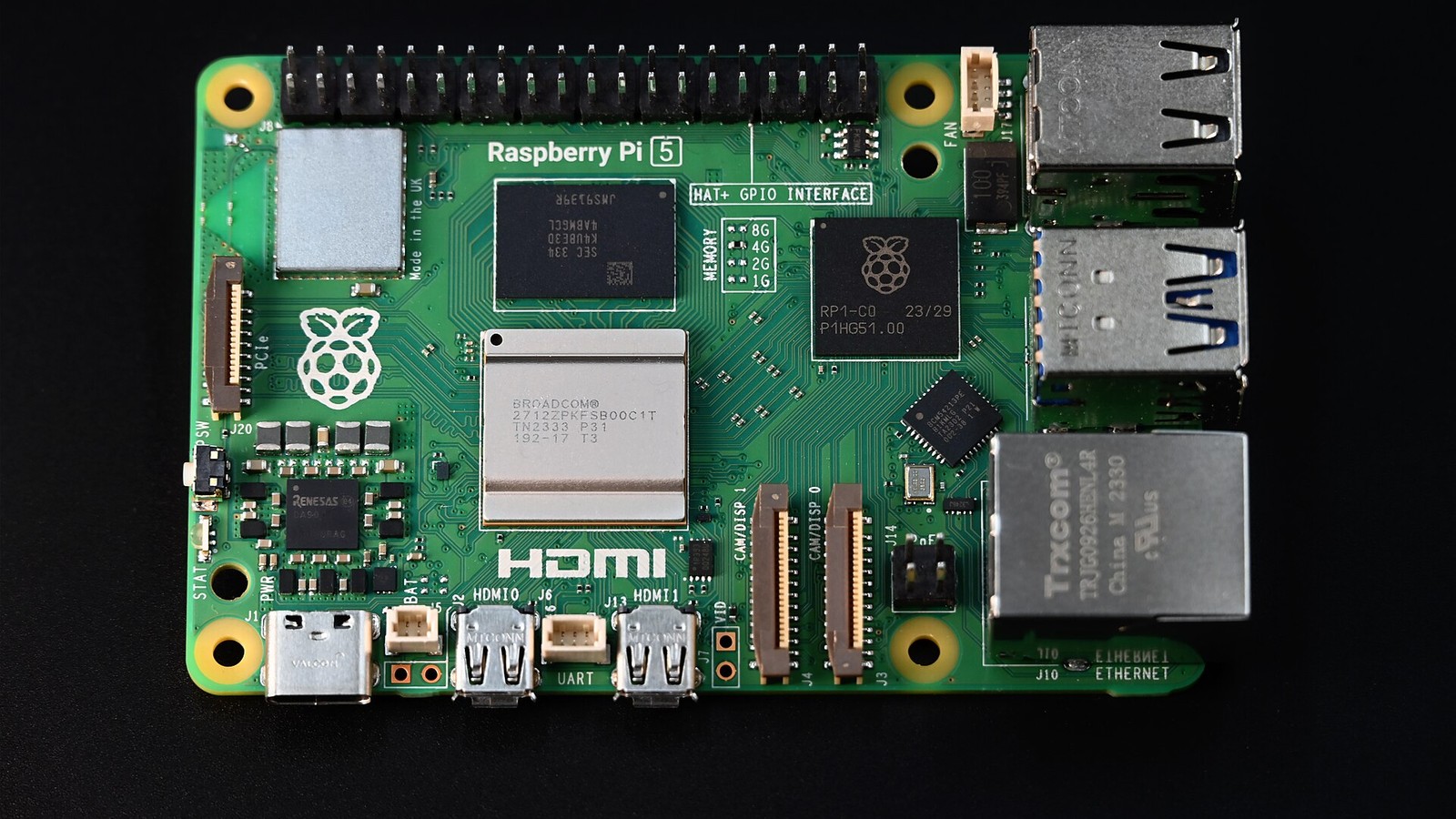
| Home automation and custom commands | Raspberry Pi 5, power supply and card | Mid-range |
Best desk gadget: Waveshare 1.75C
The Waveshare ESP32-S3-Touch-AMOLED-1.75C is Meta’s recommended starter, with a round 1.75-inch touchscreen and two microphones. We found no clean Amazon listing, so this link goes to Waveshare’s shop. Be careful with lookalikes: the name must end in 1.75C. The 1.75 and the 1.75-G with GPS are different boards. Sources also differ on whether a speaker is fitted, so check before you buy.
Cheapest way in: M5Stack StickS3
The M5Stack StickS3 is a pocket-sized board with a microphone, speaker and battery. Its 1.14-inch screen is tiny, so it’s better for showing status than pictures. M5Stack’s own shop was out of stock when we checked.
Best screen: Seeed reTerminal E1002
The Seeed reTerminal E1002 is a 7.3-inch colour e-ink display, and it comes with a USB cable and stand. It’s a picture frame for what Muse creates, not something you talk to.
Best for the smart home: Raspberry Pi 5
The Linux kit turns a Raspberry Pi into a gadget with custom commands and Home Assistant tasks. Before you buy, look in your drawer: it also runs on the Pi 3B+, Pi 4 and Zero 2 W. If you do need one, a Raspberry Pi 5 with 4 GB is plenty. You’ll also need a fast microSD card of 32 GB or more. A microphone and speaker are optional, and only needed for live voice. Meta names no model.
Power for the Pi 5
The Pi 5 wants 5 V at 5 A, so use the Raspberry Pi 27 W USB-C power supply. Check the listing carefully, because similar supplies from other brands use the word “official” too.
Good to know
- Don’t expect a full chat on every board. The project’s live-call list doesn’t name the Waveshare, StickS3 or E1002.
- You need a Mac or Linux computer for the ESP32 route, plus a USB-C cable that carries data. Windows isn’t named in the guide.
- The Muse Home Link dongle can’t be bought. It’s a limited run for US subscribers.
- Tokens are for personal use. The SDK terms rule out selling a device that contains one.
Read next
- Build your own AI gadget: Meta’s Muse kit for ESP32 and Pi
- What you need to build a Raspberry Pi AI image generator
Show sources (10)
- Muse Gadgets – Meta, consulted 4 November 2026
- Muse Gadget SDK – Meta, GitHub, consulted 4 November 2026
- Linux SDK guide – Meta, GitHub, consulted 4 November 2026
- ESP32 SDK notes – Meta, GitHub, consulted 4 November 2026
- Gadget SDK Terms – Meta, consulted 4 November 2026
- Muse is now available in Singapore – Meta, 27 October 2026
- Facebook releases Muse Gadgets SDK – CNX Software, 12 October 2026
- ESP32-S3-Touch-AMOLED-1.75C – Waveshare, consulted 4 November 2026
- StickS3 – M5Stack, consulted 4 November 2026
- reTerminal E1002 – Seeed Studio, consulted 4 November 2026
The week's best tech stories, free
One email a week with the stories that matter, explained simply. No spam.
Disclosure: this article contains affiliate links
If you buy through them, DIGITAL WOXTER TECHNEWS may earn a commission at no extra cost to you. Our picks are based on specifications, prices and published reviews, not on any payments. As an Amazon Associate I earn from qualifying purchases.