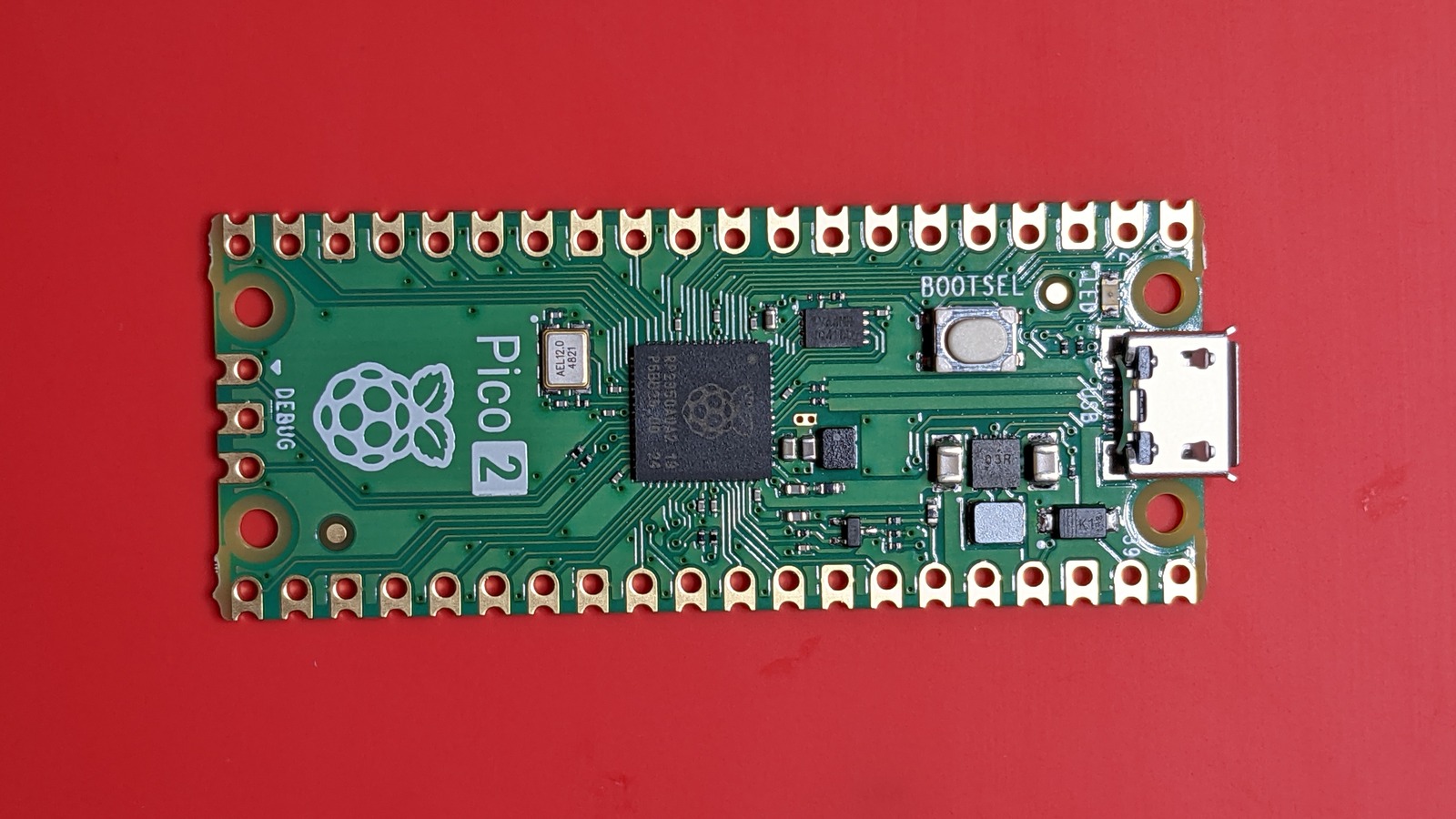
Want your own tiny AI image generator? Our Pico-Faces article explains how a Raspberry Pi Pico 2 can invent faces with no internet. This is the shopping list. The good news: the basic version needs just one small board and a USB cable, and the software is free.
How we chose: we did not build this ourselves. The list comes from the project’s own instructions, the makers’ product pages and a published monitor review, all linked below. Price ranges: Budget = under $100, Mid-range = $100-300, Premium = over $300. Follow the links for today’s price.
Shopping list
| Part | Do you need it? | Our pick | Price range |
|---|---|---|---|
| Pico 2 board with pins, plus USB cable | Yes | Pico 2 kit with pre-soldered header | Budget |
| A computer with Python | For the USB version | The one you own | Free |
| VGA board | Only for a screen without a computer | Pimoroni Pico VGA Demo Base | Budget |
| VGA cable | Only with the VGA board | Cable Matters VGA cable | Budget |
| Monitor with a VGA input | Only with the VGA board | Sceptre E248W-19203R | Budget |
The basic build: Pico 2 kit with header
This Pico 2 kit with pre-soldered header is the only part you must buy. It comes with a USB cable, so it’s ready to plug into your computer, and the pins are already fitted, so you won’t need a soldering iron if you add the VGA board later.
Check two things on any board you buy. First, it needs an RP2350 chip and at least 4 MB of flash storage: the larger face model alone takes about 4 MB, and some lookalike boards have only 2 MB. Second, make sure the USB cable carries data, because some cables only charge. This kit is a third-party package, so read the listing to confirm what’s in the box.
Pros: no soldering; cable included; all you need for the USB version. Cons: you’ll pay a little more than for a bare board.
Who it’s for: everyone starting this project.
The VGA board: not on Amazon
To see faces on a monitor with no computer, you need the Pimoroni Pico VGA Demo Base, the board the project supports. We found no Amazon listing for it, so buy it from Pimoroni or PiShop. Pimoroni says the Pico isn’t included and needs male headers, which is why we chose a kit with pins fitted. The board’s own listings still describe the original Pico, but the project’s creator runs it with an RP2350 board.
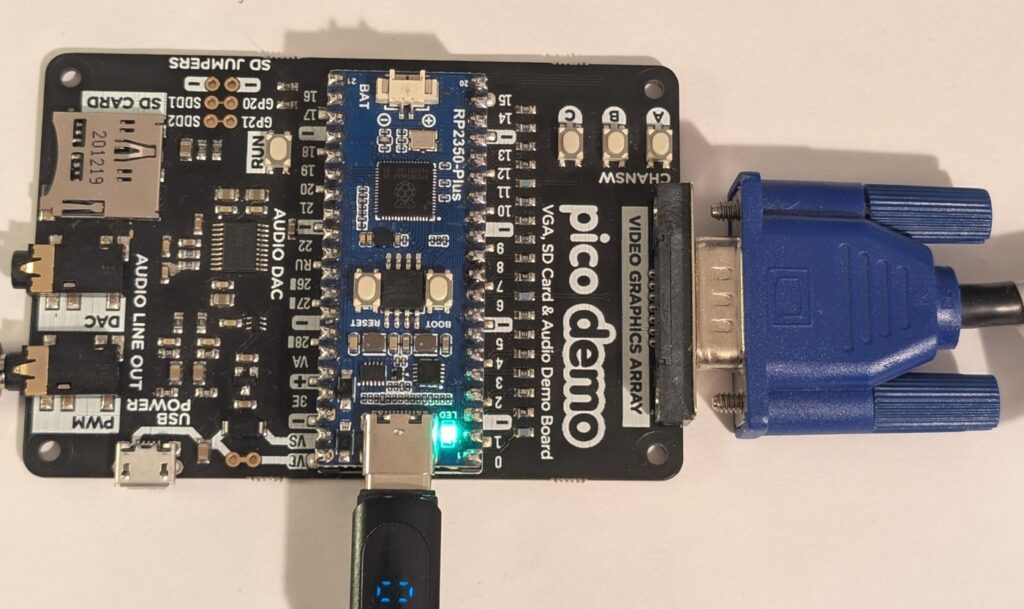
A VGA cable: Cable Matters
The base has a standard 15-pin VGA socket, so any male-to-male cable will do. The Cable Matters VGA cable is a simple 6 ft option. Take care when you plug it in, as bent pins are the usual complaint with VGA connectors.
Pros: cheap; screw-in connectors hold firmly. Cons: you may already have one in a drawer, so look first.
A monitor with VGA: Sceptre E248W-19203R
Got an old monitor with a blue VGA socket? Use it. If not, VGA is still around. ServeTheHome bought the Sceptre E248W-19203R for exactly this reason and says its VGA input “just works”. It also has two HDMI inputs for everyday use. Listings under this name vary by year, so check the model details.
Pros: low price; VGA and HDMI. Cons: ServeTheHome says it’s not a picture-quality choice, and the speakers are poor.
Who it’s for: anyone who wants the standalone setup and has no VGA screen. Not for: anyone happy to view the faces on a computer, which costs nothing extra.
Prefer HDMI?
Adafruit’s version outputs to HDMI, but it uses Adafruit’s own Fruit Jam board, which was listed as out of stock when we checked.
FAQ
Will a Raspberry Pi 5 work? No. This project is for the Pico 2 and other RP2350 boards.
Do I need to solder? Not with a board that has its pins already fitted, and not at all for the USB version.
Will a Pico 2 W work? We couldn’t confirm it. The project lists the plain Pico 2, so we’d stick with that.
Read next
- Use your Raspberry Pi as an AI image generator
- Arduino Ventuno Q: the board that gives robots eyes and a brain
- Build your own AI gadget: Meta’s Muse kit for ESP32 and Pi
Show sources (6)
- pico-faces project page – GitHub, consulted 4 November 2026
- Pimoroni Pico VGA Demo Base – Core Electronics, consulted 4 November 2026
- Pimoroni Pico VGA Demo Base – Pimoroni, consulted 4 November 2026
- Pimoroni Pico VGA Demo Base – PiShop, consulted 4 November 2026
- The 2026 VGA monitor at STH – ServeTheHome, 20 January 2026
- Pico-Faces on Fruit Jam – Adafruit Learning System, consulted 4 November 2026
The week's best tech stories, free
One email a week with the stories that matter, explained simply. No spam.
Disclosure: this article contains affiliate links
If you buy through them, DIGITAL WOXTER TECHNEWS may earn a commission at no extra cost to you. Our picks are based on specifications, prices and published reviews, not on any payments. As an Amazon Associate I earn from qualifying purchases.