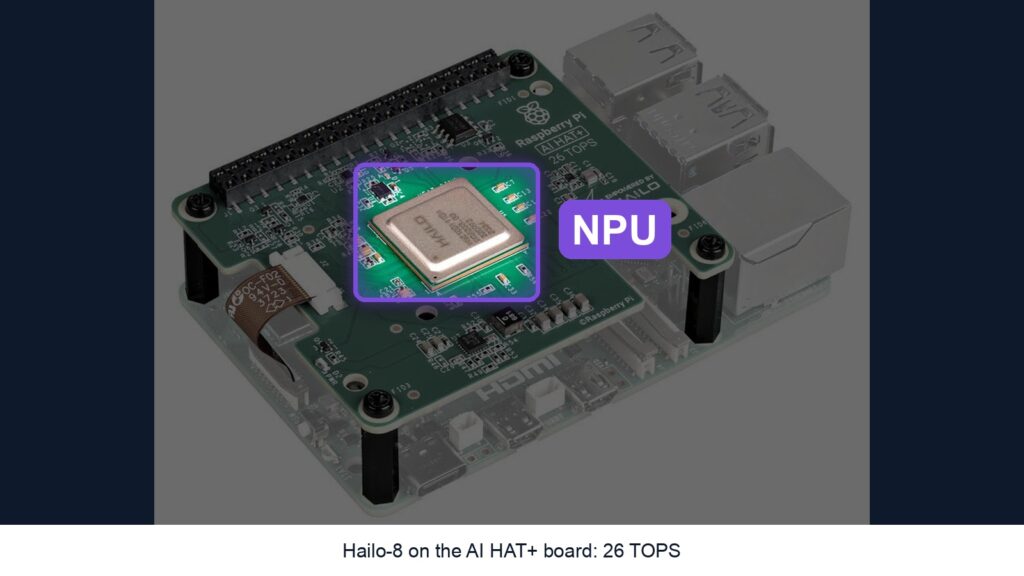
In our guide What are the CPU, GPU, NPU and TPU? you saw real chips on a real board: a Raspberry Pi 5 with an AI HAT+ on top, whose Hailo-8 chip is an NPU rated at 26 TOPS. Here’s what you need to build that little AI computer yourself, and the one part we don’t recommend buying on Amazon.
How we chose: we did not build this ourselves. The list follows Raspberry Pi’s AI HAT+ documentation and its Raspberry Pi 5 specifications. Raspberry Pi prices have changed several times in 2026, so follow the links for today’s price. Price ranges: Budget = under $100, Mid-range = $100-300.
Shopping list
| Part | Do you need it? | Our pick | Price range |
|---|---|---|---|
| Board | Yes | Raspberry Pi 5, 8 GB | Budget to Mid-range |
| AI board (NPU) | Yes | Raspberry Pi AI HAT+, 26 TOPS | Mid-range |
| Power | Yes | Official 27 W USB-C supply | Budget |
| Cooling | Recommended | Active Cooler | Budget |
| Memory card | Yes | Samsung PRO Endurance 128 GB | Budget |
| Camera + cable | Optional, for vision demos | Camera Module 3 + Pi 5 camera cable | Budget |
The software is free: Raspberry Pi OS spots the AI board on its own.
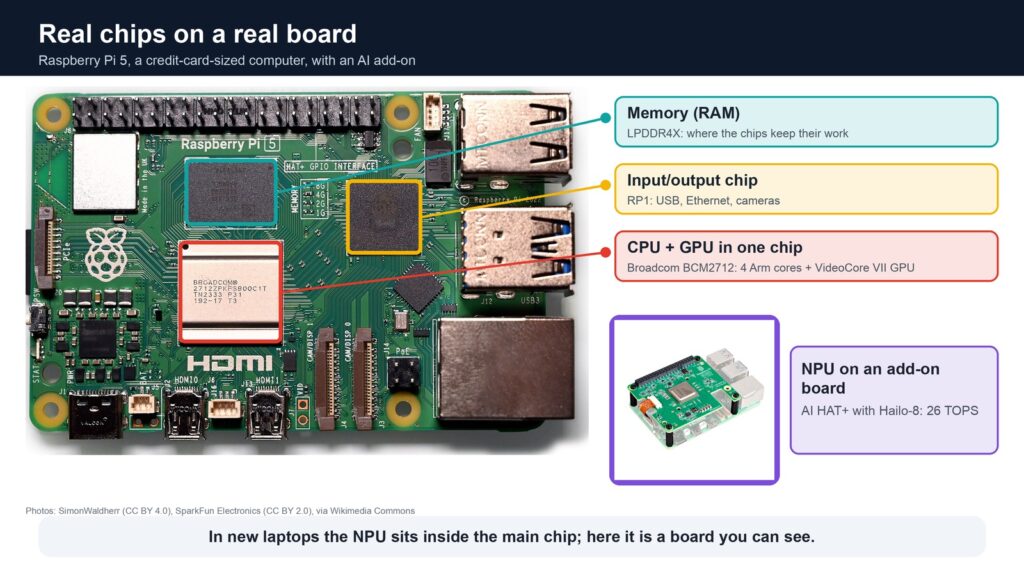
The board: Raspberry Pi 5, 8 GB
The AI HAT+ only works with the Raspberry Pi 5, and it uses the Pi’s own memory, so the Raspberry Pi 5 with 8 GB gives you more room for AI models than the 4 GB version. Watch for inflated reseller prices and kits with extras you don’t need.
The NPU: Raspberry Pi AI HAT+, 26 TOPS
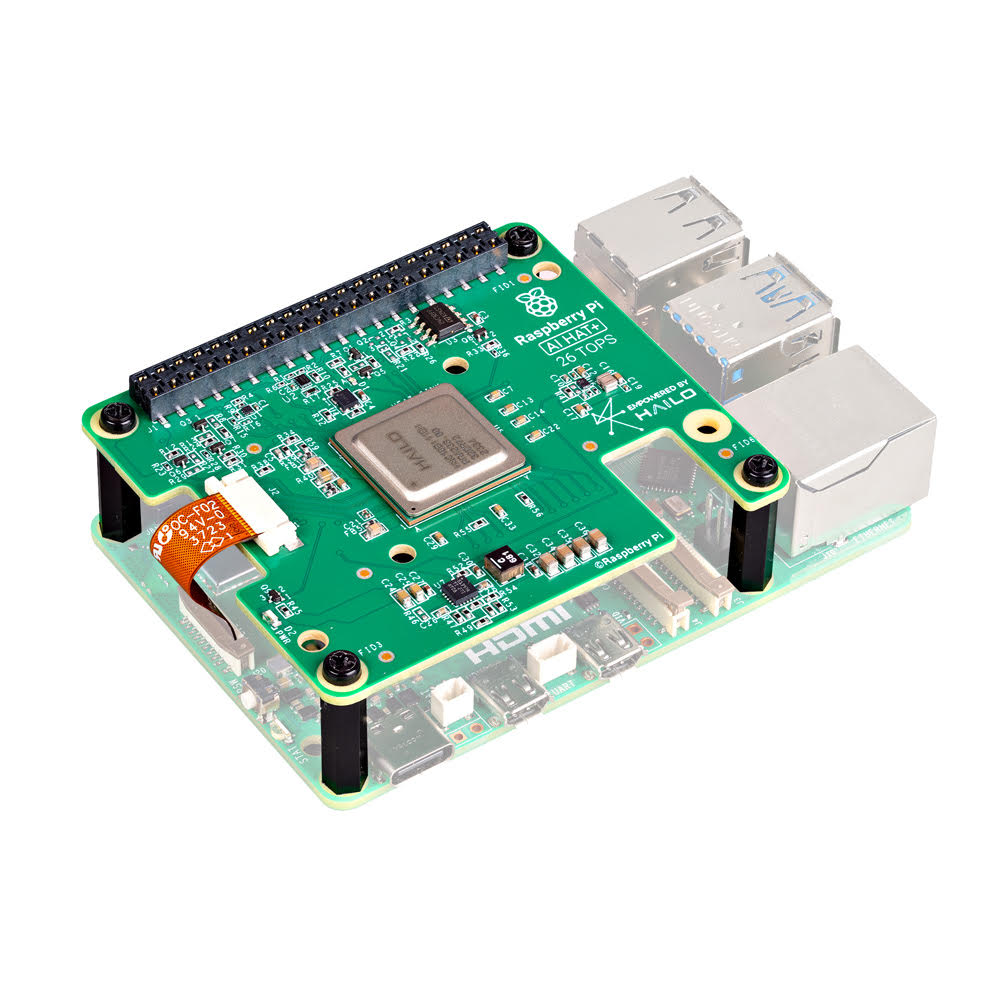
This is the board with the Hailo-8 chip, the NPU from our guide. It comes in two versions, Raspberry Pi says: 26 TOPS with the Hailo-8, and 13 TOPS with the cheaper Hailo-8L. The box includes everything to fit it: four spacers, a stacking header for the pins, a ribbon cable and screws. You only need a crosshead screwdriver.
Why no Amazon link here: on Amazon we only found it from third-party sellers, at prices well above the official one. Raspberry Pi launched the 26 TOPS version at $110, it announced, while one Amazon listing asked $189.99 on 7 November. Buy it from one of the approved resellers listed by Raspberry Pi instead.
Power: official 27 W supply
The Raspberry Pi 27 W USB-C power supply gives the Pi 5 the 5 A it prefers, which matters once an add-on board is drawing power too. Check the listing, as other brands use the word “official” too.
Cooling: Active Cooler
Raspberry Pi recommends fitting the Active Cooler before you put the AI HAT+ on top, since the Pi works hard while AI runs. Fit it carefully the first time, because removing it can damage the pins and pads.
The memory card
The Samsung PRO Endurance 128 GB holds Raspberry Pi OS, the AI models and any clips you save. Stock and prices vary, so check before you buy.
Optional: a camera to see what the NPU does
The easiest way to watch the NPU at work is object detection on a live camera: Raspberry Pi’s own camera apps, rpicam-apps and Picamera2, pass supported jobs such as image recognition to the AI board automatically. For that you need the Camera Module 3 and a Pi 5 camera cable, because the cable in the camera’s box doesn’t fit a Pi 5.
Good to know
- One PCIe port: the AI HAT+ uses the Pi 5’s only PCIe connector, so an official M.2 SSD board won’t sit alongside it. A USB SSD works instead.
- Cases: many Pi 5 cases have no room for a board on top. Check that a case says it fits HATs before buying one.
- 13 or 26 TOPS? For a first project, 13 TOPS is enough to detect objects on a camera. Choose 26 TOPS if you want to run bigger models or several at once.
Read next
- What are the CPU, GPU, NPU and TPU? The definitive guide
- How many TOPS do you need? 13, 40, 50 or 100+? Full guide
- What you need to build a Raspberry Pi safety camera
Show sources (5)
- AI HAT+ documentation, Raspberry Pi, accessed 8 November 2026
- Raspberry Pi AI HAT+, Raspberry Pi, accessed 8 November 2026
- Raspberry Pi AI HAT+ announcement, Raspberry Pi, October 2024
- Raspberry Pi 5, Raspberry Pi, accessed 8 November 2026
- The new Raspberry Pi AI HAT+ delivers 26 TOPS of performance for $110, Neowin, October 2024
The week's best tech stories, free
One email a week with the stories that matter, explained simply. No spam.
Disclosure: this article contains affiliate links
If you buy through them, WOXTER AMERICA LLC may earn a commission at no extra cost to you. Our picks are based on specifications, prices and published reviews, not on any payments. As an Amazon Associate I earn from qualifying purchases.