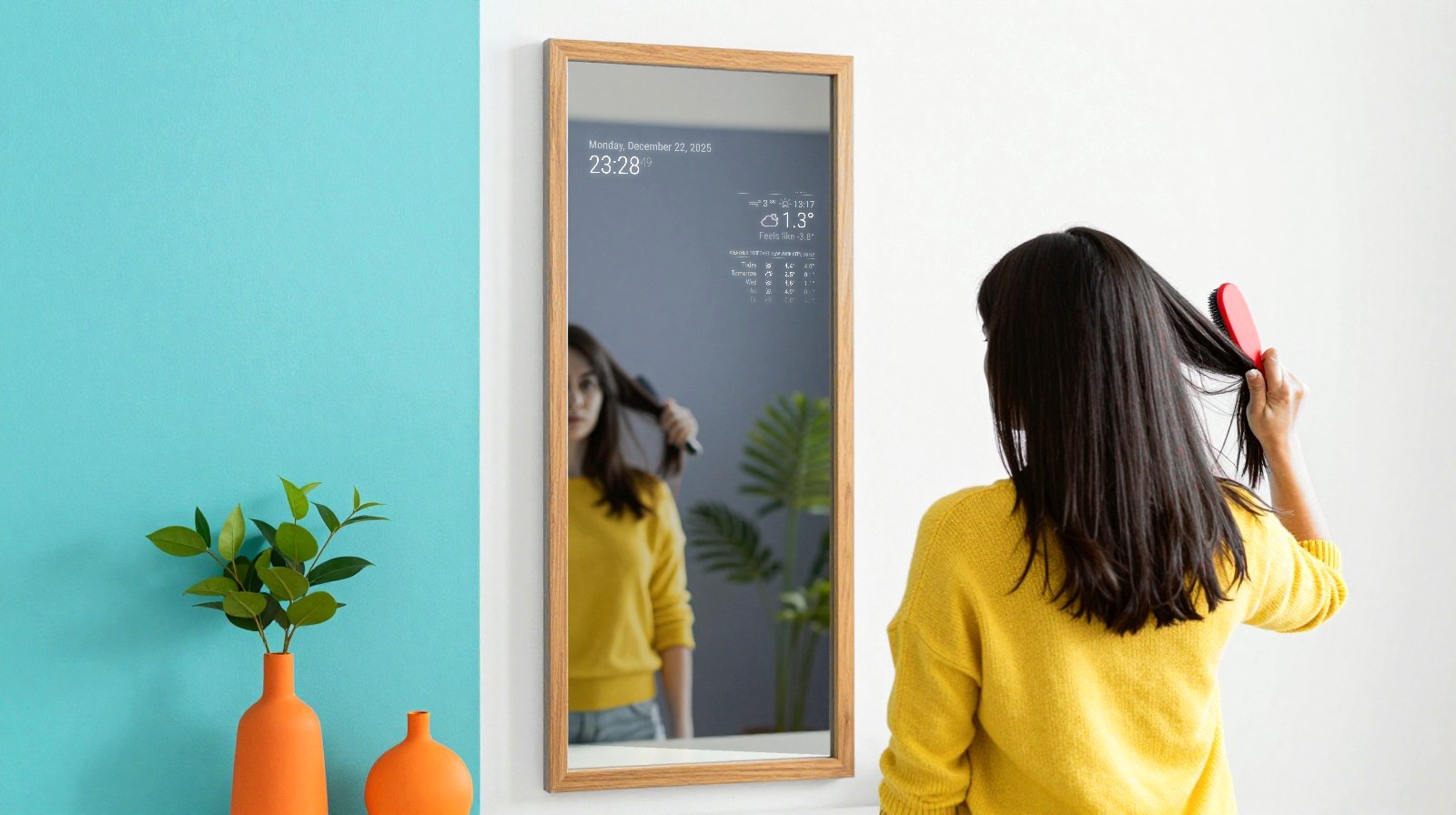
Our Raspberry Pi smart mirror guide shows how to put the time, weather and your calendar in a mirror. Here’s what to buy for the upright tabletop version, plus the cable that catches people out.
How we chose: we did not build this ourselves. The list comes from the MagicMirror² requirements and published builder guides. Prices move often, so follow the links for today’s price. Price ranges: Budget = under $100, Mid-range = $100-300, Premium = over $300.
Shopping list
| Part | Do you need it? | Our pick | Price range |
|---|---|---|---|
| Board | Yes | Raspberry Pi 4, 4 GB | Budget to Mid-range |
| Power | Yes | Official 15 W USB-C supply | Budget |
| Memory card | Yes | Samsung EVO Select 64 GB | Budget |
| Screen | Yes | ARZOPA 15.6-inch portable monitor | Budget |
| Two-way mirror | Yes, choose the size carefully | Acrylic sheet, about 30 x 40 cm | Budget |
| Video cable | Yes, it’s rarely in the box | Micro HDMI to Mini HDMI | Budget |
The software is free. Together, the parts land in our Mid-range band. You’ll also want some black card and a frame or stand, which you can make yourself.
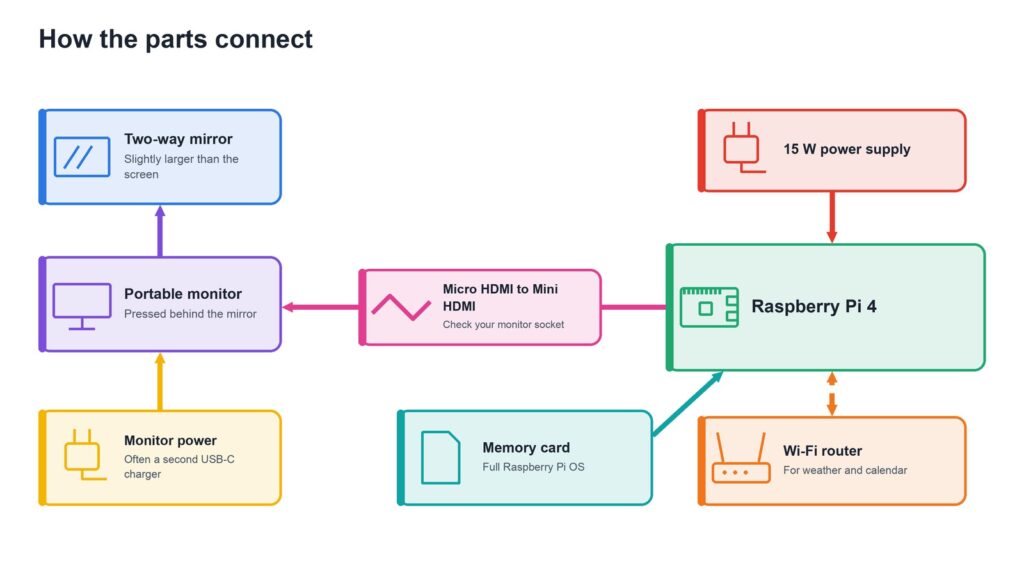
The board: Raspberry Pi 4
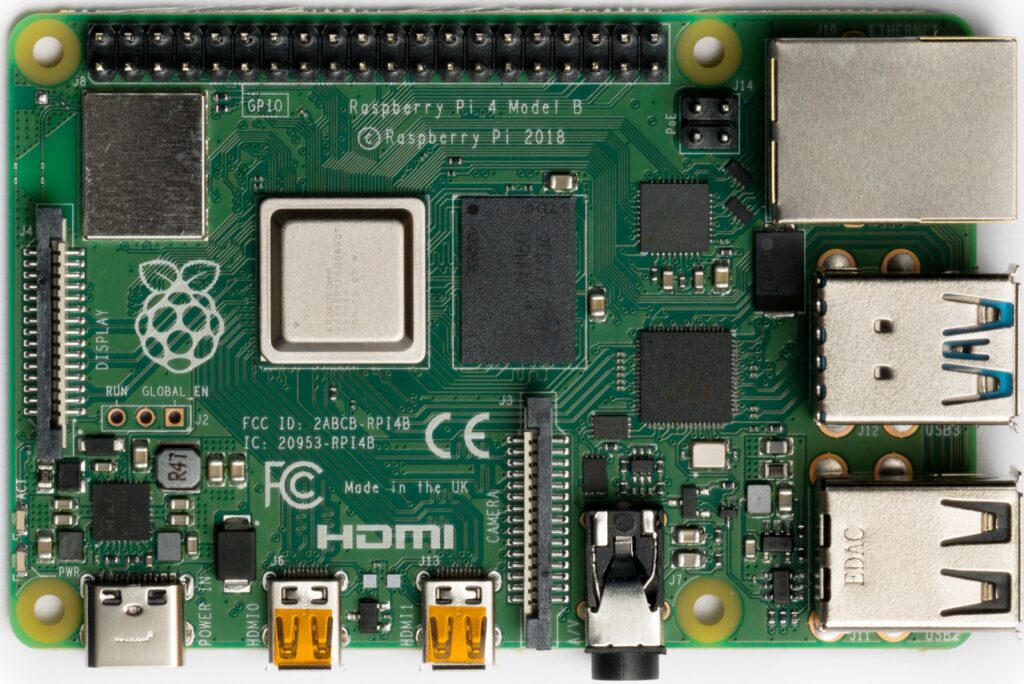
The Raspberry Pi 4 with 4 GB gives you room for extra modules. MagicMirror² runs on a Pi 2, 3, 4 or 5, so use one you already own if you can, but a Pi Zero or Pi 1 won’t do.
Power: official 15 W supply
The Raspberry Pi 15 W USB-C power supply gives a Pi 4 the 5.1 V and 3 A it’s designed for. Check the listing, and in Europe make sure the plug suits your sockets.
Memory card: Samsung EVO Select
The Samsung EVO Select 64 GB leaves plenty of space for the full Raspberry Pi OS, which MagicMirror² needs. The Lite version won’t work.
Screen: ARZOPA 15.6-inch portable monitor
The ARZOPA portable monitor is thin, light and has an HDMI input, so it suits a tabletop mirror. Check the exact listing, because specifications vary between versions. Most portable monitors also need their own USB-C power, so plan on a second charger. For this mirror it stands on its side, so check that its sockets stay easy to reach.
Two-way mirror: acrylic sheet
This is the magic part. The Novabright two-way acrylic mirror comes in several sizes, so select one larger than your screen on the listing, such as 12 x 16 inches, used upright. Measure your monitor first. An ordinary acrylic mirror won’t work: look for “two-way” and about 30% transparency. Thin acrylic scratches easily, so keep the film on until the last step.
The cable that catches people out
A Pi 4 has Micro HDMI sockets, and many portable monitors use Mini HDMI. A normal HDMI cable fits neither end. You need a Micro HDMI to Mini HDMI cable. Check your monitor’s socket before you buy.
Upgrades for later
- A bigger mirror: an old monitor and real two-way glass look lovely, but you’ll need a proper frame.
- A faster board: a Pi 5 helps if you add lots of modules.
- A printed stand: a 3D printer can make a neat tabletop base.
Read next
- Create your own smart mirror with your Raspberry Pi
- What you need to build a Raspberry Pi plane radar
Show sources (2)
- Requirements – MagicMirror² documentation, consulted 6 November 2026
- How to build a Raspberry Pi smart mirror – SunFounder, consulted 6 November 2026
The week's best tech stories, free
One email a week with the stories that matter, explained simply. No spam.
Disclosure: this article contains affiliate links
If you buy through them, DIGITAL WOXTER TECHNEWS may earn a commission at no extra cost to you. Our picks are based on specifications, prices and published reviews, not on any payments. As an Amazon Associate I earn from qualifying purchases.