Cyber Monday falls on 30 November this year, and the deals are flying. So are the fake shops: copies of real brands, “90 % off” sites that vanish after Christmas, and adverts that lead somewhere you did not mean to go. Good news: checking a shop takes about five minutes, and you do not need to be a tech expert. Here is how to do it, step by step.
What you will achieve: by the end, you will know how to tell a real online shop from a fake one, how to pay so you can get your money back if something goes wrong, and what to watch for if you let an AI assistant do your shopping.
What you need
- The shop’s web address (copy it from the address bar, not from the advert).
- A credit card, or a payment method with buyer protection.
- Five minutes and a healthy dose of doubt.
Step 1: Type the address yourself
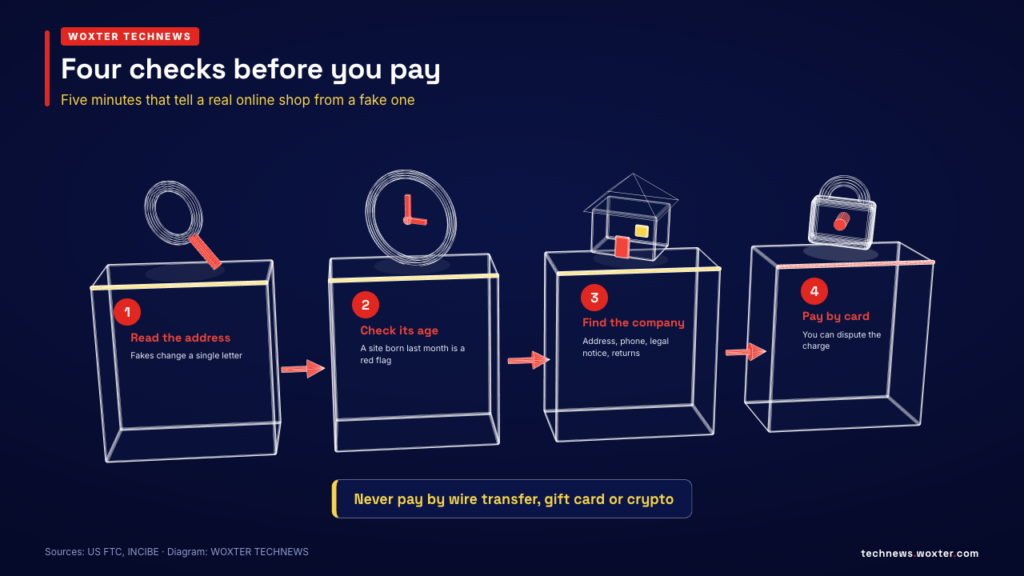
Adverts and links that arrive in messages can lead to copies of real shops, and fakes often copy a brand by changing a single letter, warns Spain’s national cybersecurity institute INCIBE. Type the shop’s address yourself or use a bookmark, then read it slowly: “amaz0n” or “lidl-offers-shop” are warning signs.
Step 2: Do not trust the padlock alone
The little padlock and the “https” only mean the connection is encrypted. “It doesn’t mean it’s a legitimate site”, the US Federal Trade Commission (FTC) explains in its online shopping advice; scammers can get padlocks too, and INCIBE says the same about fraudulent sites with valid certificates.
Step 3: Check how old the website is
A shop selling designer trainers at half price that was born last month deserves extra suspicion. Paste the domain into ICANN Lookup, the free tool of the organisation that coordinates internet addresses, and look at the creation date. You can also paste the address into Google’s Safe Browsing site status check to see whether Google has flagged the address as dangerous.
Step 4: Look for a real company behind the shop
A genuine shop tells you who it is: a company name, a postal address, a phone number, a legal notice and a clear returns policy. INCIBE advises checking that the shop has a legal notice; if all of this is missing, walk away. The FTC adds that the site must tell you whether you can return an item for a full refund, so check who pays return postage and how many days you have.
Step 5: Read reviews somewhere else
Reviews on the shop’s own pages can be invented. Search the shop’s name plus the words “complaint” or “scam”, the FTC suggests, and read reviews on independent sites “with a critical eye”, including who wrote them. Star ratings alone are not enough: some are fake.
Step 6: If the price is too good to be true, it probably is
Compare the price with other well-known shops. Expensive brand-name items at bargain prices “could be counterfeit or stolen”, according to the FTC. Also work out the total: shipping, taxes and fees can turn a bargain into a normal price.
Step 7: Pay the safe way
Paying by credit card protects you best if something goes wrong, says the FTC, because you can dispute the charge with your bank. Never buy from a seller that insists on gift cards, wire transfers, payment apps or cryptocurrency, the FTC warns. Be just as careful if a shop asks you to switch to a different payment method after you order. Keep the order confirmation, the receipts and every message.
Shopping with an AI assistant? Keep your hands on the wheel
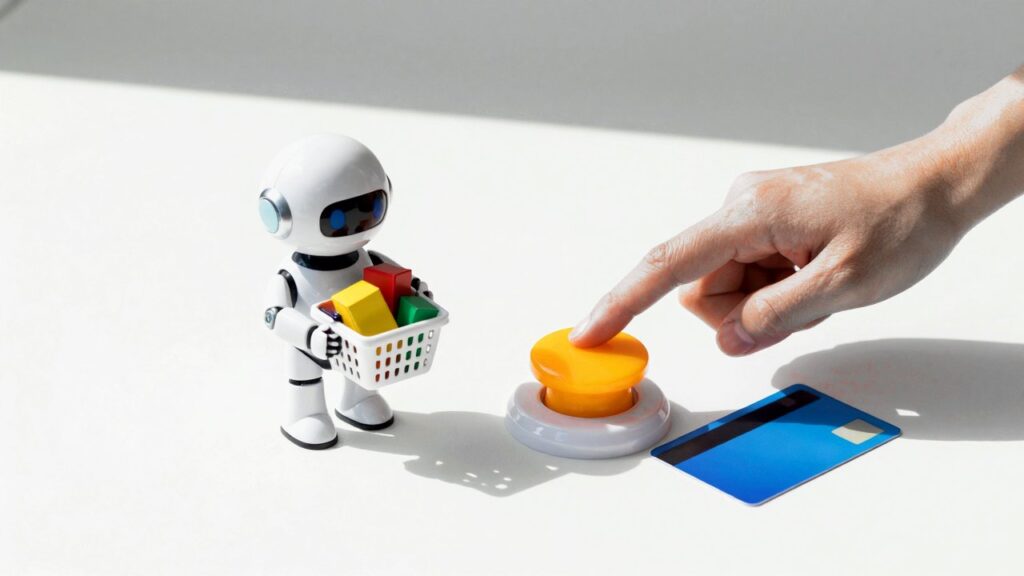
AI “agents” that browse and buy for you are new this season, and they can make mistakes. In a November 2026 investigation, Reuters reported internal complaints that Meta’s Muse agent made up prices and transactions, and in one case booked a non-refundable stay without permission. Meta called these “isolated incidents”. Its terms hold users responsible for what the agent does, Reuters and Moneywise report; Meta’s help page says “You’re responsible for all transactions your Muse makes on your behalf.”
Whatever assistant you use, three simple habits help:
- Approve every purchase yourself and read the shop name and total before you confirm.
- Give it a limited card, such as a card with a low spending limit, rather than your main account.
- Check your email and bank statement the same day for anything you did not expect.
Troubleshooting: what to do if you were caught
- Call your bank or card company at once to block the card and dispute the charge. In the US, the FTC says your dispute letter must reach the card company within 60 days of the first bill showing the error.
- Collect the evidence: screenshots of the site, the order, emails and payment.
- Report it: in the US at ReportFraud.ftc.gov; in Spain, INCIBE’s free helpline 017 gives advice, and you can file a complaint with the Policía Nacional or Guardia Civil. In other countries, your national police or consumer protection agency.
Next steps
Bookmark the shops you trust before Monday, so you never need to click an advert to find them. And if you want to protect your whole home network while you shop, our guide to a safer DNS shows how to switch in a few steps.
Read next
- Do you feel the internet is always following you?
- Your own home VPN: which board should run it?
- Do you remember HAL? Let’s review AI hacking
The week's best tech stories, free
One email a week with the stories that matter, explained simply. No spam.
Sources
- Online Shopping – US Federal Trade Commission, Consumer Advice, updated May 2023
- Black Friday y Cyber Monday. ¿Sabes cómo comprar online sin caer en estafas digitales? – INCIBE (Spanish National Cybersecurity Institute), 26 November 2025
- Compras online: claves para comprar con seguridad – INCIBE
- As Meta bets big on Muse AI agent, early safety mishaps surface – Reuters (via Investing.com), 18 November 2026
- Meta’s own fine print says you’re responsible for every purchase its Muse AI agent makes with your card – Moneywise (via Yahoo Finance), 29 September 2026