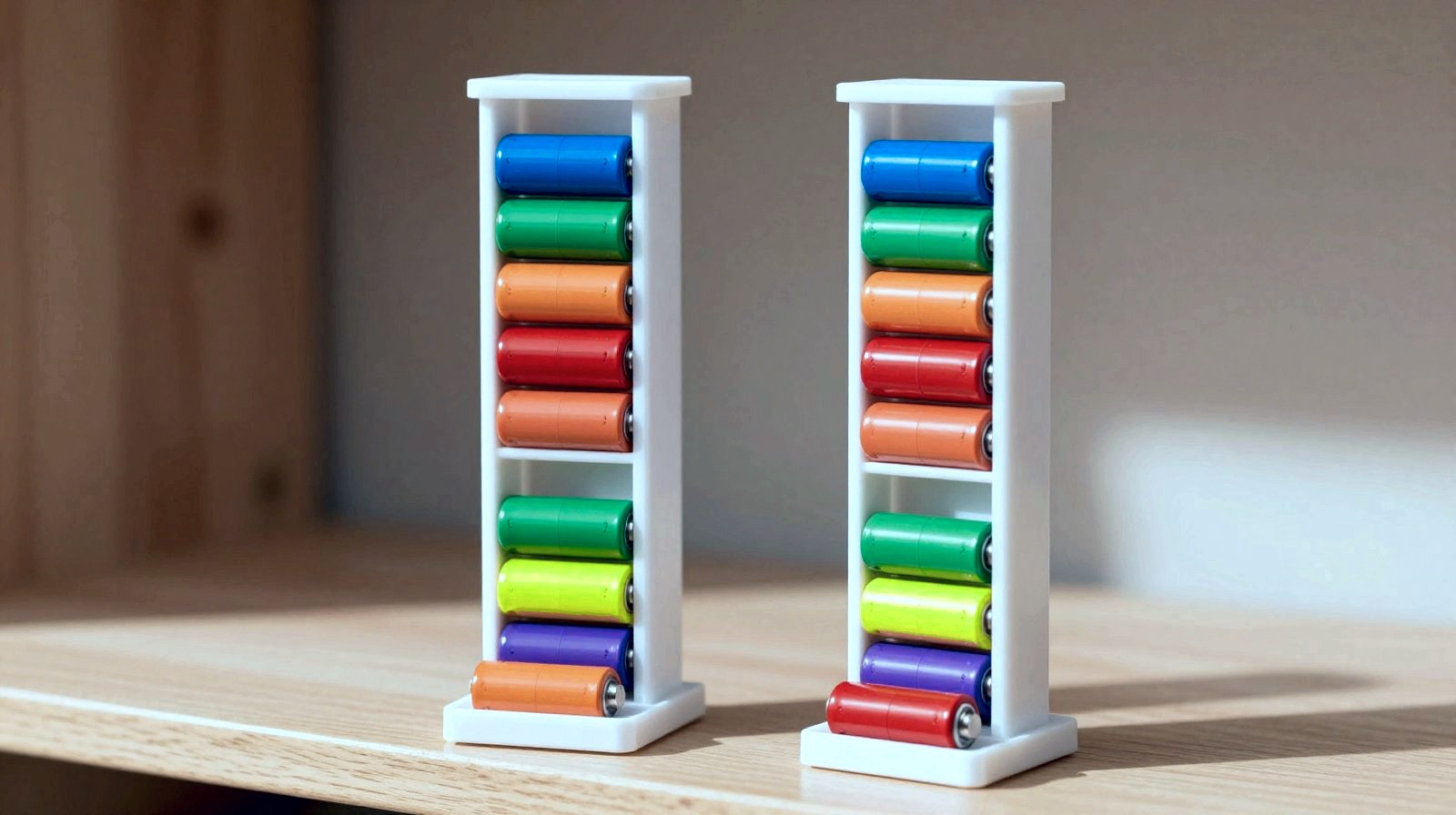
Every home has one: the drawer where AA and AAA batteries roll around loose, new ones mixed with half-dead ones, and never the right size when the TV remote gives up. This week’s maker project fixes that with a single print: a twin-tower battery dispenser that stands on a shelf, holds AA and AAA cells in separate chutes and drops the next fresh battery into a little tray every time you take one.
Why it’s a great first “useful” print: it has no moving parts, needs no supports and no screws, and gravity does all the work. It also nudges you into a couple of habits that battery makers actually recommend, like keeping cells away from loose metal and never mixing old and new ones.
What you’ll build
- Difficulty: beginner. If your printer can print a calibration cube, it can print this.
- Material: PLA or PETG, roughly the amount for a medium-sized print.
- Print time: depends a lot on your printer and settings; your slicer will show the estimate once you load the file.
- Capacity: about nine AA cells and about a dozen AAA cells, stacked lying down.
- Extras: a small “used” bin on the side, so flat batteries never sneak back into the fresh pile.
How the design works
Each tower is a tall, slim chute. Batteries lie horizontally, one on top of the other, like coins in a coin tube. At the bottom, the floor of the chute tilts gently forward, so the lowest battery rolls out through an opening into a small tray with a raised lip that stops it. Take that battery and the whole stack drops by one. That’s it: no springs, no clicks, nothing to break.
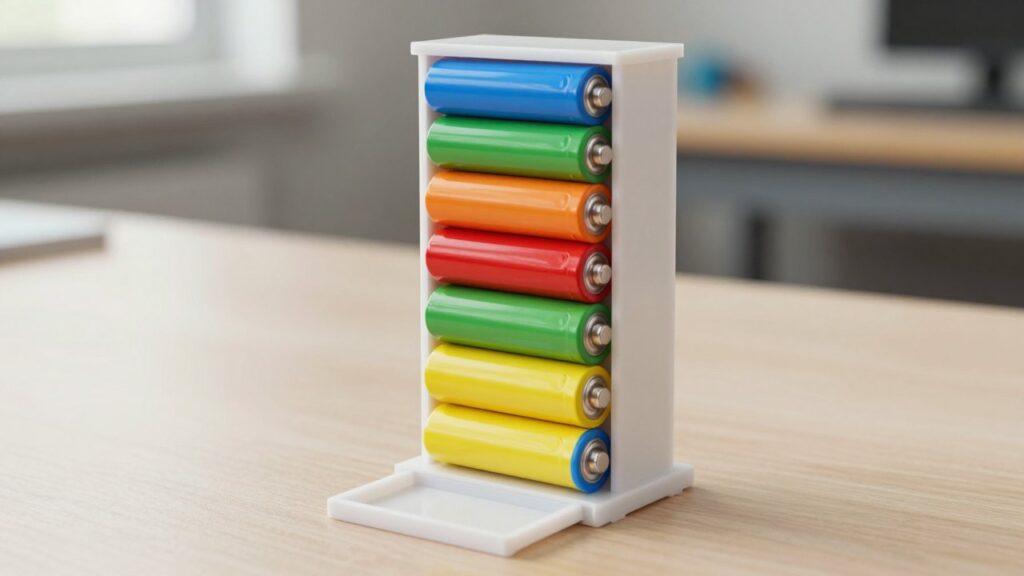
The sizes come straight from the manufacturers’ datasheets. A standard AA cell (IEC code LR6) is about 14.5 mm wide and 50.5 mm long, and an AAA cell (LR03) is at most 10.5 mm wide and 44.5 mm long. Our chutes add roughly 1 mm of breathing room on every side: enough for batteries to slide freely even if your printer’s walls come out a touch thick, but not so much that they tilt and jam.
The AA chute is about 140 mm of usable height. Divide that by 14.5 mm per battery and you get nine and a bit, which is why it holds about nine. The thinner AAA cells stack about a dozen in the same height.
Printer settings
These are good starting points for PLA, the easiest material for beginners. Always check the label on your spool too, because brands differ a little.
- Nozzle temperature: Prusa’s material guide suggests 215 °C for the first layer and 210 °C after that; Bambu Lab lists 190-230 °C for its PLA Basic.
- Bed temperature: around 60 °C on a PEI sheet (Prusa), or 35-45 °C with glue on Bambu’s plates.
- Layer height: 0.2 mm is plenty; this is a practical object, not a statue.
- Walls: 3 perimeters, so the chutes stay stiff and straight.
- Infill: 15 % is enough.
- Supports: none. Print it standing upright, exactly as it will sit on the shelf. Every overhang in the design stays at 45° or less, which most printers handle without help.
Step by step
- Get the file from the download box below (as soon as it’s live) and open it in your slicer (PrusaSlicer, Bambu Studio, Cura and OrcaSlicer all work).
- Place it upright on the bed, flat base down. Don’t rotate it onto its back: the tilted ramps are designed for this orientation.
- Add a brim (a thin ring of extra plastic around the base) if your bed adhesion is ever shaky. The towers are tall and slim, and a brim keeps them from wobbling late in the print.
- Slice and print with the settings above.
- Test the chutes before loading: drop one battery into each tower and check it rolls into the tray on its own. If it sticks, a few strokes of fine sandpaper inside the opening usually solves it.
- Load from the top, all batteries facing the same way, and put the used bin where you’ll actually see it.
Download (free): battery-dispenser-twin.stl (STL file, ready to slice)
Troubleshooting
- Batteries jam halfway down: your walls are probably printing a little thick. Recalibrate your extrusion (flow), or scale the model up by 1-2 % in the slicer.
- The last battery won’t roll out: make sure the dispenser is standing on a level surface; the ramp is gentle on purpose so batteries don’t shoot out.
- The towers lean or crack at the top: use the brim and slow the print down for the last few centimetres.
Safety notes
- Keep metal out. Energizer warns against keeping loose batteries with metal objects like coins or paper clips, which can short-circuit them. The dispenser keeps cells apart from all that clutter, so don’t let keys or coins end up in the tray.
- Don’t mix old and new. Combining batteries of different ages, types or brands in one device can lead to leaks, Energizer says. That’s exactly what the “used” bin is for: when it fills up, take it to your local battery collection point.
- Keep it out of the heat. PLA starts to soften at about 57-60 °C (Prusa; Bambu Lab), and batteries don’t like heat either. A shelf is perfect; a sunny windowsill or a car dashboard is not. For a hot spot, print it in PETG instead.
- Little hands: AA and AAA cells are not toys. Place the dispenser where small children can’t reach it.
What’s next
Once your towers are working, the design is easy to remix: a third chute for 9 V or C cells, a wall-mounted version with two screw holes, or a tray colour per battery size so everyone at home grabs the right one first time. And next time the remote dies, you’ll be back on the sofa in ten seconds.
The week's best tech stories, free
One email a week with the stories that matter, explained simply. No spam.
Sources
- Energizer E91 (AA) product datasheet – Energizer, accessed 14 October 2026
- Energizer E92 (AAA) product datasheet – Energizer, via Farnell, accessed 14 October 2026
- PLA – material guide – Prusa Research Knowledge Base, accessed 14 October 2026
- PLA Basic filament specifications – Bambu Lab, accessed 14 October 2026
- Battery care, use and disposal – Energizer, accessed 14 October 2026