Disclosure: this article contains affiliate links to online courses. If you sign up through them, DIGITAL WOXTER TECHNEWS may earn a commission at no extra cost to you. We choose courses for their content, not for payments.
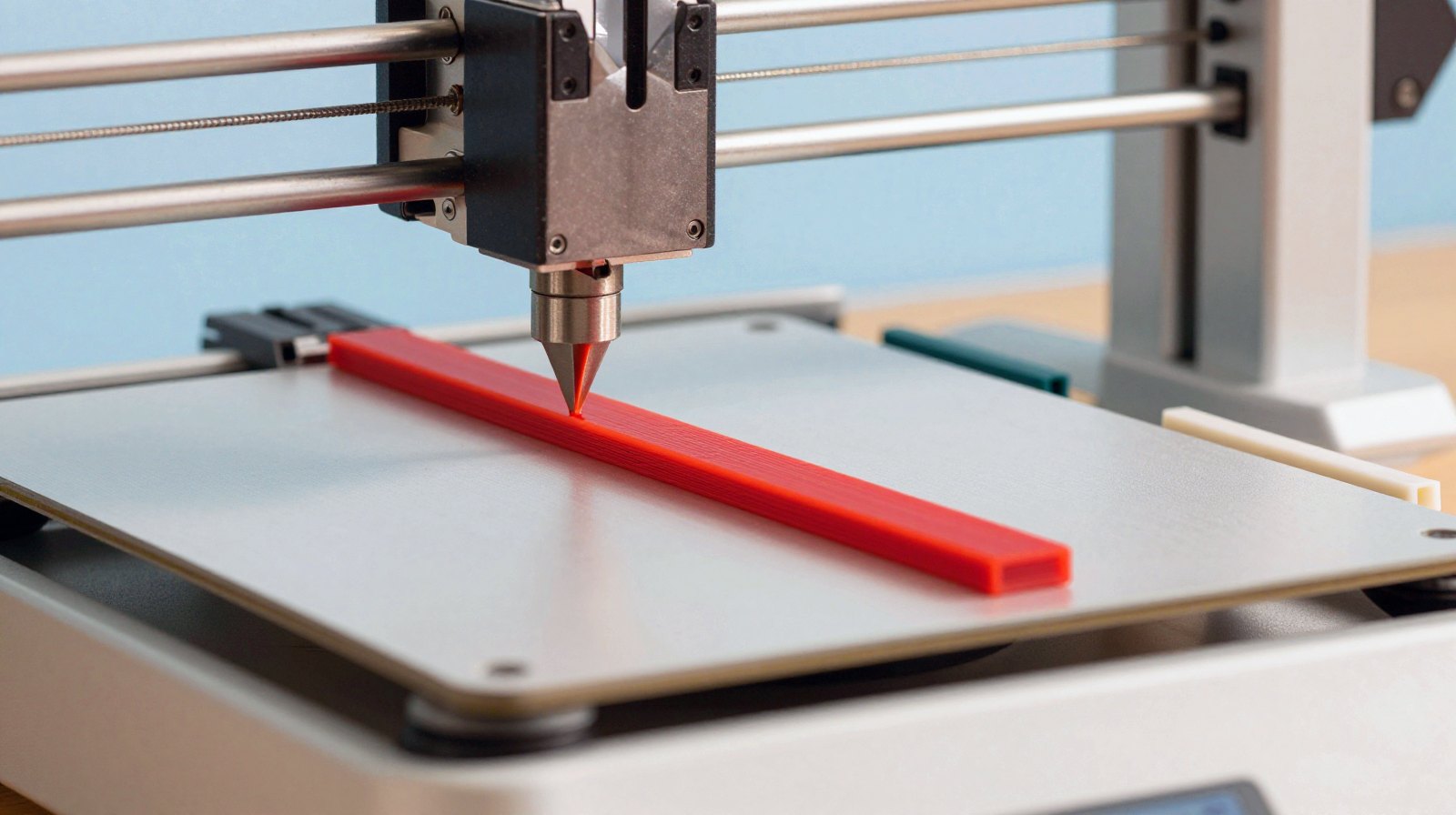
Today’s project is small, useful and very satisfying: a 3D-printed slide-on bag clip that seals coffee, crisps, pasta or flour with no spring to snap and no hinge to wear out. It is two simple parts, a bar and a sleeve, and you can print a set of three sizes in one evening.
Why bother? Because the people who know coffee best agree that air, moisture, heat and light are what make it go stale. The National Coffee Association says opened whole beans stay at their best for only about 1 to 3 weeks at room temperature, and ground coffee for 1 to 2 weeks. A bag left gaping open on the counter loses that race fast. A firm clip is the simplest first line of defence.
What you’ll build
- Difficulty: beginner. Two parts, no supports, no screws, no glue.
- Sizes: 90 mm (snack bags), 130 mm (a typical 250 g coffee bag) and 170 mm (flour, rice, big bags).
- Time: a short print per pair; your slicer will give you the exact estimate for your printer.
- Cost: a few grams of filament per clip.
How it works
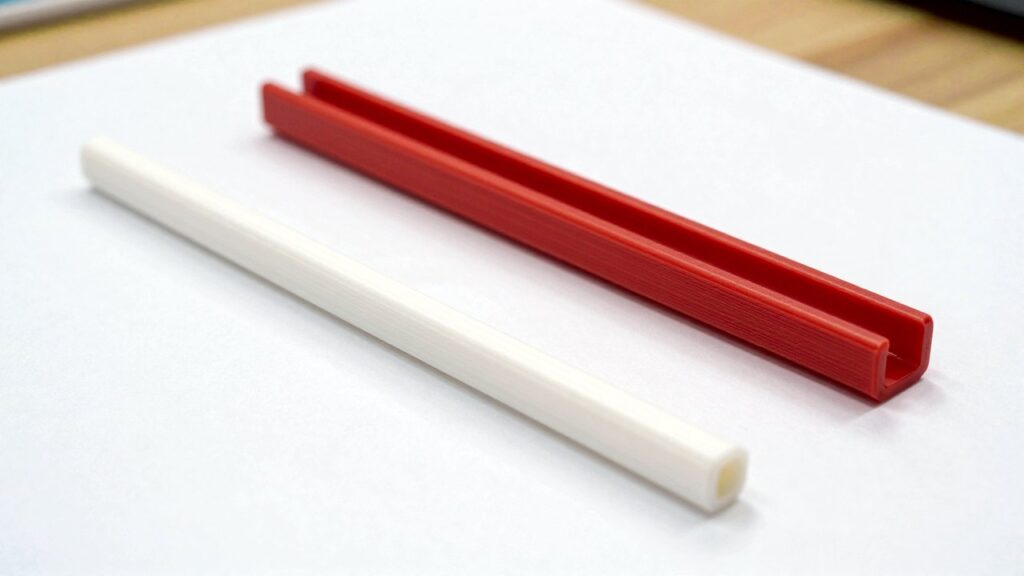
The idea is as old as the hills, which is exactly why it is reliable. You fold the top of the bag once around the bar, then slide the C-shaped sleeve over the bar from one end, like a cap on a pen. The bag film gets pinched all the way along between the bar and the inside of the sleeve, and the two layers of bag come out through the slot in the sleeve.
Because the pressure comes from the shape of the parts and not from a spring, there is nothing to fatigue. Our design makes the bar D-shaped (flat on one side), so it prints lying flat on the bed and cannot spin inside the sleeve, and gives the sleeve a small finger tab at one end so it is easy to pull off.
Our design in numbers
| Part | Shape | Key sizes |
|---|---|---|
| Bar | D-profile, flat side down | 10 mm wide, 8 mm tall, rounded ends |
| Sleeve | C-profile with a slot on top | 2 mm walls, 0.4 mm clearance around the bar, 3 mm slot, inward lips chamfered at 45° |
| Finger tab | On one end of the sleeve | 12 mm, flat, prints on the bed |
The 0.4 mm clearance is there for the bag itself: a folded bag adds a little thickness, and the sleeve should slide on with a firm push, not a hammer. If your bags are thick foil coffee bags, scale the sleeve’s width up by 2-3 % in the slicer.
Materials and printer settings
- Bar: PLA. Stiff and easy to print. Prusa’s material guide recommends around 215 °C for the first layer and 210 °C after, with a 60 °C bed. Keep PLA clips away from hot places such as a dishwasher or a sunny car: PLA softens at about 60 °C.
- Sleeve: PETG. The sleeve flexes a little every time you slide it on, and PETG is tougher and more flexible than PLA. Prusa suggests 230 °C first layer then 240 °C, with an 85-90 °C bed, and warns not to print PETG straight on a smooth PEI sheet (use a textured sheet or a layer of glue stick). PETG also handles heat up to about 80 °C.
- Layers: 0.2 mm. Walls: 3 perimeters. Infill: 20 %. For a stronger sleeve, add perimeters rather than infill, as Prusa advises for PETG.
- Colour tip: print each size in a different colour so you grab the right one at a glance.
Step by step
- Download the files below and open them in your slicer (PrusaSlicer, Bambu Studio, Cura and OrcaSlicer all work).
- Place the bar flat side down and the sleeve with its slot facing up. Neither part needs supports.
- Print a test pair in the 130 mm size first.
- Check the fit without a bag: the sleeve should slide on easily. Then try it with a folded bag: it should need a firm push.
- Adjust if needed: too tight? Scale the sleeve’s width up by 2 %. Too loose? Scale it down by 2 %. Then print the other sizes.
- Use it: squeeze the air out of the bag, fold the top once around the bar, and slide the sleeve on from the end.
Download (free STL files): bag-clip-slide-90.stl (90 mm), bag-clip-slide-130.stl (130 mm), bag-clip-slide-170.stl (170 mm)
Troubleshooting
- Sleeve cracks along the slot: print it in PETG instead of PLA, add a perimeter, or raise the nozzle temperature by 5 °C for better layer bonding.
- Strings inside the C: PETG loves stringing. Increase retraction slightly or drop the temperature by 5 °C.
- Bar warps at the ends: clean the print sheet and use a brim.
- Clip slides off a slippery bag: fold the bag twice around the bar instead of once, or scale the sleeve down by 2 %.
Safety and freshness notes
- Outside only. The clip touches the outside of the bag, not the food. Don’t use 3D prints as food containers or scoops: Prusa explains that layer lines can trap bacteria and are hard to clean, and that a standard brass nozzle is not considered food-safe.
- A clip is not a vault. It closes the bag firmly, but it is not truly airtight. For the best coffee, the National Coffee Association recommends an airtight, opaque container in a cool, dark cupboard, away from the oven and strong sunlight, and buying only what you will drink in one or two weeks.
Next steps
Once the clip works, make it yours: emboss a little coffee-bean icon on the tab, or add a hole so the clip can hang on a hook. If you enjoyed this one, our guide to making 3D models with AI tools shows how to sketch your own variations, and the course box below is a good place to learn proper 3D design from scratch.
Learn it yourself
Want to go further? These online courses cover the skills behind this story:
- Introduction to 3D Design and Printing Domestika: Agustín Arroyo's beginner course: model an everyday object in Fusion 360, slice it in Cura and print it, no previous 3D experience needed.
See the course on Domestika
Read next
- How to make 3D models with ChatGPT and AI tools (2026 guide)
- Domestika courses for makers: 3D printing, Blender and more
- Arduino Ventuno Q: the board that gives robots eyes and a brain
The week's best tech stories, free
One email a week with the stories that matter, explained simply. No spam.
Sources
- Storage and shelf life – National Coffee Association USA (About Coffee), accessed 21 October 2026
- PETG – material guide – Prusa Research Knowledge Base, accessed 21 October 2026
- PLA – material guide – Prusa Research Knowledge Base, accessed 14 October 2026
- Food-safe prints – Prusa Research Knowledge Base, accessed 21 October 2026